![PSD Data distribution [Selfie Mumei]](https://img5.nokimo.com/storage/12/zo/zj/fb3178-019e9091-bf5f-7a76-83c0-1ca673cfdd92.png)
![PSD Data distribution [Selfie Mumei]](https://img5.nokimo.com/storage/9/je/eg/fb3178-019e9057-5060-79f2-aa44-eb142ab746e9.png)
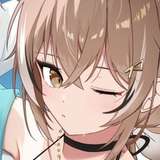
This article is about the making process of [Selfie Mumei]

 I will be using 3D model provided by Scottie-sensei.
https://www.fanbox.cc/@scottie
I'm making the draft as simple as possible to save my time drawing with only using two different color layer for body and clothes/hair.


Line is drawn according to draft layer above. I am using modified default G-PEN.


https://assets.clip-studio.com/ja-jp/detail?id=1759448
By using this tool, the line drawing layer is set as the reference layer. Simply draw around the layer to create a base layer.

Line drawing is now complete.
I paint each layer with color. I want to focus on the chest and face, so these are the two areas I want to add the most detail to.
 Using a layer mask, you can create the impression of eyes behind the hair!


After painting the eyes, place highlights around the head and chest, and a secondary highlight around the hips.


Linear light allows you to apply highlights using grayscale.
I got all my coloring brushes from here. Thank you Scottie-sensei!

From here, paint the shadows and secondary highlights using the "Multiply" and "Overlay" effects.

Once you've completed this, I recommend adding a hair layer called [Para Hair]. This will add more detail to the head area.

I'm still not very good at drawing backgrounds, so I draw a simple silhouette of a window in the background.
 All done~