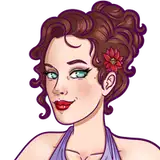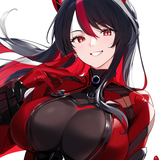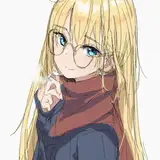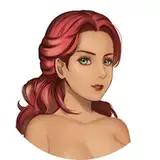
MODEL : Our Noble Head Kim Yoona.
FEATURES
Female hairstyle with star accessories, braids and tied up part made with Geometry Nodes Curve System. A written tutorial is given inside the .blend file.
3 versions : V1 hair + braids in front + tied up hair at the back | V2 braids in front, hair at the back + tied up hair at the back | V3 no braids, hair tied up at the back.
2 variations : Straight & Curly.
2 options : With and without bangs. Braids are optional too be present in each file for its version so you need to hide/delete them if you don't want them.
2 scalp weights :
Normal : Is more heavier and may lag when you move the scalp or comb parts with a lot of hair but looks more realistic and "no hairline" friendly. You can still hide for viewport modifiers like curl and/or duplicate to make it way smoother to work with.
Lighter : Has a lot less hairn less points on curves and thicker curves making it look a bit less realistic but will be smoother to move and comb without having to hide some nodes on viewport to work with. As there is less hair the render may be a bit faster.
Choose the one which fit the most your needs.
Realistic hair shader both working for Eevee and Cycles with predefined natural colors + custom color slot.
All accessories meshed by ourselves.
Feel free to change the values in the geo nodes to fit what you want.
So that everything is cleaner in your outliner, we advise you to append the collection [NH] - JENNIFER HAIR, so you don't miss anything and everything gets tidied as it should.
Made in Blender 4.0.2
/WARNING\
We recommend that you do not open the file in Blender 3 series., Below Blender 3.6 it will crash and opening with Blender 3.6 causes display bugs, however you can avoid that with simply "append" instead of opening (for 3.6 ony not below).
*We must precise that these bugs and crashes are not caused by our content but the fact that Blender 3 and Blender 4 series conflict with each other, it is not due to us. That being said, we do not take any responsibility if you decide to ignore the warning.
NOTE : This product is not refundable.
ADVICE
The best way to adapt the hair is to scale it the right way and then sculpting the head of your character to fit. We recommand to create a shapekey for sculpting the dead so you can find a normal head shape if you mess by saving it as default file.
Import our hairstyle to your character file as a collection, this way you are sure to have everything needed as we organize our collections the right way.
We recommande that you let our hairstyle in its collection even for parenting, this way you can simply hide the whole hair collection for the viewport (with the screen icon) it will be easier this way, and you can move your character more smoothly.
If you are used to move your character in object mode too, do not forget to parent your the scalp of the hair with your armature (Ctrl P> Object keep transform), even if they are in different collections, it works, so let the haistyle into its own collection.
If you have any issue, or something is not clear, please feel free to message us on Patreon or Instagram.
TOU
Please do not leak/share our paid content.
Do not claim as your own and/or resell.
Do not use our content as a base to create yours upon it.
Feel free to style the haircut to your liking to match your expectations.
Please tag us if you use our content, we would love to see it and give support to your post.