Hey guys with the recent comics, I've been using a new aspect ratio of 13:16 which gives a verticle look to the comics.
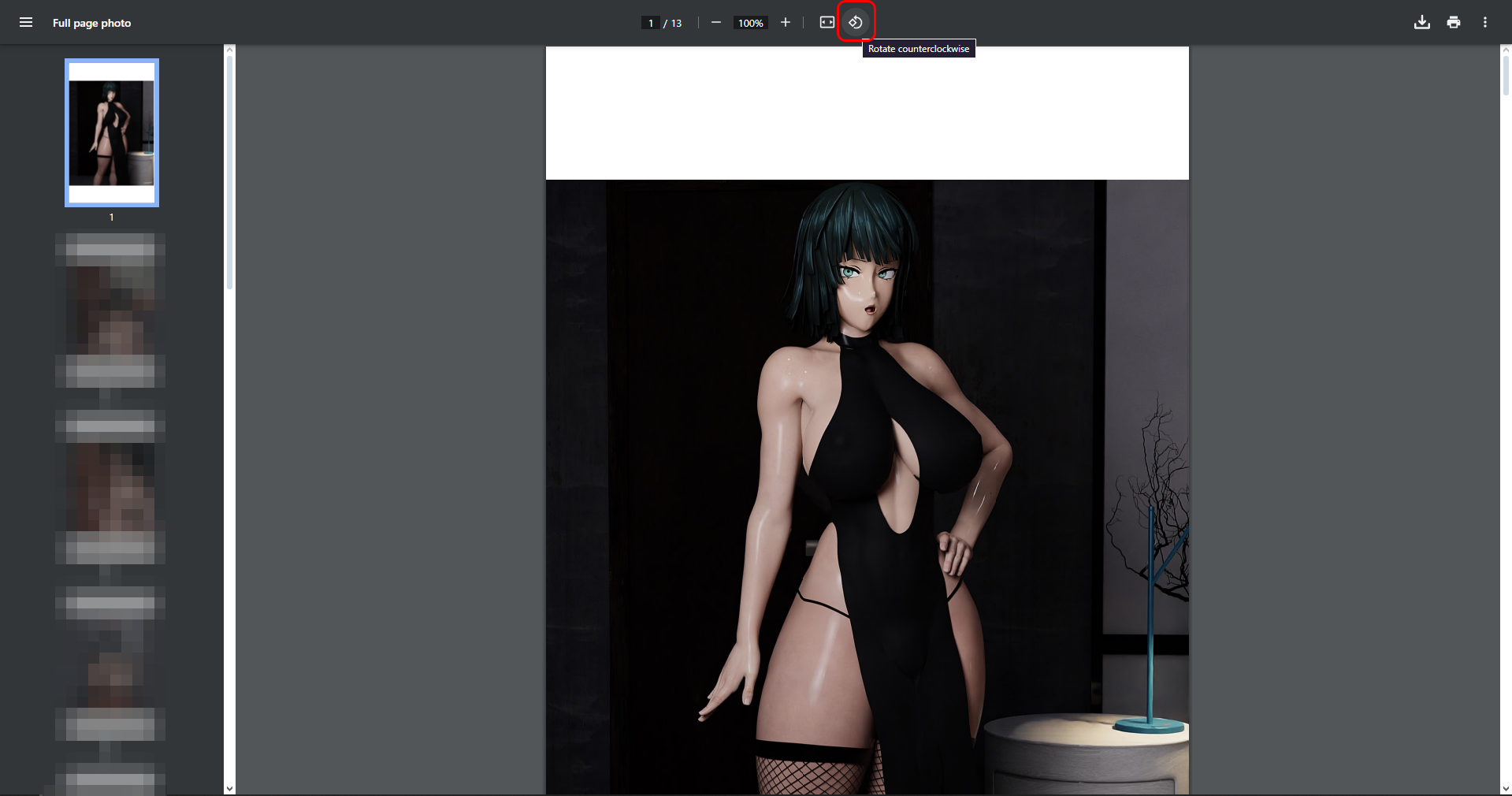
So, when put these in PDF format, it makes all the images sideways (Landscape). I can't fix it on my end, even though my settings are set to portrait, Microsoft software keeps setting it up as landscape.
What you'll have to do on your browser and use the rotation icon at the top and rotate the page. The zip files should be fine and be in portrait mode as it should.
If you're on mobile, you'll probably have to lock your device screen for it to not rotate to view it.
I hope this helps.