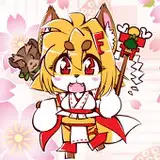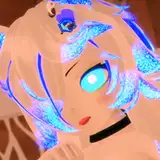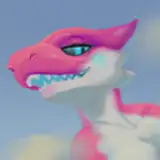
A new way for you to easily customize your own Kobold for VRChat! Just install the KoboldKreatorImporter.unitypackage to your Unity!
Toggle clothing options, skin textures, colors, and add your own iconography.
Check out a video of the creator here: http://koboldkare.com/KoboldKreator_compressed.mp4
Steps to upload a customized VRChat kobold:
For additional instructions on use, there's a README in the package, as well as a video found here: https://vimeo.com/347844921
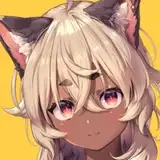
A Unity ready Kobold model with the following features:
You can inspect the female models on Sketchfab here, here, and here.
You can inspect the male models on Sketchfab here, and here.
Be aware that this model uses Dynamic Bones in Unity, which isn't included in this package.
First you should install dependencies: Substance Plugin, Dynamic Bone, and the VRChat SDK.
Then install the Kobold unitypackage by hitting Assets->Import Package->Custom Package, then browsing to the PinkKobold.unitypackage file.
Double click on the Kobold unity scene to open it, it's found in the PinkKobold folder.
The two kobold variants can be found in that scene, already ready to upload.
Simply login to the VRChat SDK, then open the build control panel to upload them to your account.
You're welcome to wear this Kobold in VRChat, edit it, use it in animations/games, and share it with your friends. But please don't publicly post, sell, or give it to strangers!
If you have any trouble, contact me on discord (naelstrof#7705) and I'll do my best to help!