Yellow Fox - VRChat
Added 2023-03-30 23:18:07 +0000 UTC
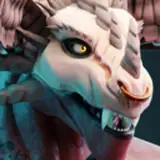
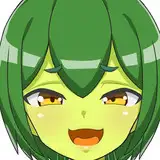
The yellow fox girl is now available for VRChat!
If you are looking for the Blender version instead, check out: https://picti.gumroad.com/l/yellowfox
Features
- Compatible with Desktop and Full Body Tracking
- GoGoLoco
- Clothing Toggles:
- Phys bones on
- Tail
- Ears
- Arm Tails
- Breasts
- Butt
Credit
The conversion of the model was done by https://twitter.com/OkamicalN
Compatibility
The model is compatible with VRChat for PC, but NOT for Quest!
How to upload (PC)
- Download the unitypackage
- Create a new project in Unity version 2019.4.31f1
- Drag and drop the unitypackage into the assets folder
- When Unity asks you to reload the scene, click yes.
- In the top menu bar select
- VRChat SDK -> Show Control Panel
- Log in with your VRChat credentials
- Go to the "Builder" tab
- Click "Build & Publish for Windows"
- In the in game publish window
- Set Avatar Name as "Yellow Fox"
- Set Sharing as Private
- Enable "The above information is accurate and I have the rights to upload the content in VRChat"
- Click Upload
- The upload process will start
- If everything went correctly, you should be getting the dialogue box "Upload Complete! Launch VRChat to see your uploaded model."
- Click Okay
- In VRChat you should be able to see the Yellow Fox Avatar
- Go to Launch Pad -> Avatars -> Uploaded and it should be there
- If you can't see it in the list, try restarting VRChat
Problems
If you encounter any errors or problems, feel free to message me on Discord: Picti#4083
Terms and Conditions
Private/Public use in VRChat:
This model is for private world use only. Don't upload the model as public, as it is nsfw.
I’m not responsible for anything that happens to your account if you break VRChat TOS.
What you CAN do:
- Customize the model and textures for yourself
- Modify the files for use in other applications (Blender, Unreal Engine, SFM, etc.)
- Make 3D animations or visual content with the model as long as you put a link to my Gumroad or Twitter (https://picti.gumroad.com, https://twitter.com/PictiSculpts)
What you CAN'T do:
- Re-sell or redistribute the entire, or parts of the content
- Share any assets, unless both parties have purchased the original assets
- Re-sell the content together with other assets where the main purpose of the sale is redistributing the model
- e.g. You are not allowed to bundle the model together with a funny hat and resell that joined product, as it is clear that the biggest contribution to it is my model.
- You can however use the model in a game of yours and sell that, as long as the game consists of many more parts than just the model.
- Use these assets in a manner intended to cause or encourage harm to others, or to promote a politically or religiously motivated message or agenda. This includes but not limited to, modification of the assets, or using the assets in association with such purposes.