Cosmetic Procedures Mod V1.0
Added 2022-11-04 13:44:45 +0000 UTC
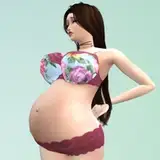
Remember when your Sim was a young adult? They’ve just finished high school, went to college ( some of us), and sooner or later your Young Adult life is behind you. What happened? Besides the mental changes…physical changes could come too.
The Cosmetic Procedures Mod allows your Sim to escape the physical blues by getting Cosmetic Procedures like Facial Fillers. They can get their Cosmetic Fillers either through their home with rabbit hole options through their phone app or at their local beauty clinic!
>>How To Install<<
- Only Choose one Version (Unmerge version or the Merge Version). We recommend using the Unmerge version due to less conflict and better accuracy. However, if you want fewer files you may use the Merge version.
- Download Lumpious Mood Pack - You can get it here, and place it directly into your mods folder. >>MOOD PACK HERE<<
- Install The Mod - Unzip your mod version and place it DIRECTLY into your mod folder. No Subfolders. This is how it should look in your folder.
How The Unmerge Version Looks Below In Your Mods Folder

How The Merge Version Should Look Below DIRECTLY In Your Mods Folder

Now that you have the Mod In your folder, make sure you watch the Walkthrough.
The walkthrough is here - https://youtu.be/bfX04mMUVFw
>>Troubleshooting<<
- Are the nurses not showing up? Double check if you're using the Merge version and not the Unmerge version. If you are using the Unmerge version try leaving the lot and staying on another lot for an hour or so. Sometimes it takes a while for the mod to register any new nurses.
- The ui messed up? This means you did not install the mood pack in the How To Install Section. Go Back and read how to install the mod. Make sure nothing is in subfolders.
- Can't get fillers at all? Your sim has to be an adult or elder. Make sure you're not using a young adult.
- Switched Versions? Make sure you delete your localthumb file in your Electronic Arts folder before switching versions and starting up the game. All previous version from your mods folder should be removed.
- Try a new save file! - Sometimes after removing, and removing files, using the same lot. You might need to try it on a new savefile.
- Get Help On Discord - If you're still having issues and cannot figure it out on your own after following all the steps above. Make sure you submit a TICKET in our discord server. One of our Admins/Modders will offer assistance.
Possible Updates
- More Cosmetic Procedures
- Bandages
- Facial Presets
- Traits
- Interactions
Thanks so much! Remember to choose one version. Tag me in all photos, videos on twitter so I can share with my audience as well!
Twitter.com/SimwithShan
[Note/Update - Ignore the file names in the download Folder. Nothing is in Beta.]
Comments
Make sure you install the mood pack thats requested. That’s the only way the Ui could be messed up. Also you can try making sure you use the unmerged version! 🤍
Shannon
2023-04-26 22:02:39 +0000 UTCHi! I installed just as shown but for some reason the UI still isn't showing up and it's not working. I even double checked for duplicate files in other folders and made sure to delete them all. Any help? Could it be a conflicting mod?
OhhKamii
2023-04-26 22:01:17 +0000 UTC