UI Aligned Camera, Cloud Variable improvements & headless role/access control
Added 2021-05-05 06:09:24 +0000 UTCHello and welcome to another of our weekly updates!
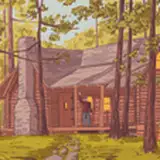
Last Friday we showcased the community creations from the month of April, we had quite a good crop of games and interactive worlds! From the incredibly polished narrative escape room experience Cabin Of The Seasons, to MurderX game from the Japanese community with its own game editor, Puyo Puyo recreation with community voice lines or Ghost Talk from the Creator Jam.
We also introduced a new UI Aligned camera mode for desktop, which makes it much easier to interact with interfaces in the worldspace and build LogiX by aligning everything in a single plane. The cloud variable system introduced last week has also received numerous improvements, including ability to use it for role and access control on headless and more components and permissions to increase its flexibility even further.
We added some smaller, but hopefully useful features too, like baking any static (non-changing) blendshapes into base mesh to help you optimize your avatars and other objects.
Neos also celebrates its 3rd year on Steam now! It's been an incredible ride and we have grown much both in terms of features and the community, which grew from small group of early supporters to a vibrant daily community with lots of creativity every day! If you'd like a bit of a throwback to the earliest days of Neos, check the videos below!
Community April Showcase - Cabin of The Seasons, MurderX, Puyo Puyo and more
Every month, we dedicate the last Friday stream to showcasing all the amazing community creations in Neos and this one was no different. We had an incredible crop of interactive experiences and games built inside of Neos VR.
We went through a portion of The Cabin of The Seasons, an incredible narrative escape room experience by the Mystic Forge. This is one of the most polished quality experiences on our platform, which is no surprise given it's been in production for several months! We avoided going too far, because it's definitely something you should experience for yourself!
Other games we checked out include the MurderX game by the Japanese community, which is the most elaborate version of it so far. It even includes a custom level snap-map editor, which lets you easily make your own levels as you play and even watch the other players during gameplay as miniature holograms.
Other games include a Puyo Puyo recreation, with voicelines from many members of the community or a Ghost Talk from the Creator Jam. We did check a number of beautiful social worlds as well, so we definitely recommend giving this stream a watch if you missed it, because it shows some of the best of the creativity and ingenuity of our community!
Neos celebrates 3rd year on Steam!
On May 4th 2018, we have officially released the first beta version of Neos on Steam. Since then, it has come quite a long way, both in the terms of features and polish and in terms of its community, growing from a few initial supporters to a vibrant daily community overflowing with creativity every day.
As a little throwback, here are some of the early videos showing what Neos was like back then:
Bloopers form the original trailer in 2018, featuring the now infamous "Jello IK"
Some of the sandbox tinkering, working on one of the earliest drones
UI Aligned Camera
To make interacting with in-world UI’s and building with LogiX easier in the new desktop mode, we have introduced another camera mode in addition to 1st and 3rd person: UI Aligned Camera mode.
This can be activated by simply holding the Ctrl key and Left Mouse clicking on a desired UI. This will automatically align the view with the UI and unlock the mouse cursor, making it easy to interact as with traditional desktop UI.
Hold Ctrl and the Right Mouse Button you can also pan the view around, or use Ctrl and the Scroll Wheel to adjust the distance/zoom. Left clicking any UI while in this mode will also realign the camera to it.
You can exit this mode by holding Ctrl and Left Clicking into an empty space, or by pressing the key to switch between first and third person (F5 at the time of writing, but this will change in the future).
When working with LogiX, all of the spawned nodes will be placed in the same plane, making it much easier to build and edit LogiX nodes in this mode. There’s some more things coming to this mode as well that will make it even easier to use.
We hope that this new mode helps expand Neos’ Desktop editing capabilities and make it much easier to use for both new and existing users.
Expanded Cloud Variables abilities
Last week we introduced the new cloud variable system for persistence across different instances of objects, worlds and sessions. To make the system even more powerful and flexible, we have introduced several new features last week.
Controlling access to headless sessions with cloud variables
Notably, you can now use cloud variables to control access to your headless sessions. By defining a cloud variable that only you can write to, you can assign default roles and grant access to your session. This way you don’t need to manually add each person to the configuration list on your headless, but only the cloud variable path.
To configure this, add roleCloudVariable configuration option and point it to a cloud variable of type string. It’s recommended to use definition_owner_only permission for write. Then write a value for each user with the name of the role you want assigned to them when they join. If you don’t assign any value to the user, or set it back to an empty string, the normal Role assignment will be used.
You can also configure allowUserCloudVariable setting, pointed to a cloud variable of type bool. Setting value True for an user will allow that user to always join the session, regardless of the Max Users limit or if the session is Private (although they will need to obtain a join link).
Once we expose API for managing cloud variables, these settings will allow you to automate access management, which will be useful for events and similar venues.
New permission levels for more flexibility
We have added several new permission levels as well, including ones that allow only the definition owner to ever have a value (meaning there’s only one instance of the variable, rather than each user having their own) or only the contacts of the definition owner.
These permission levels are usable by User defined variables as well, which previously couldn’t use the tagging pattern workflow for security reasons. With these new permission levels they have gained more capabilities as a result, bringing them closer to Group variables!
Due to the ease of creation of user accounts, we still need to keep them a bit more limited, but we think with those permissions we found a good compromise between usability and ease of abuse of the system.
New components, types, tweaks and bugfixes
To make interacting with the system easier, we added some more components as well, like ActiveUserCloudVariable<T> which automatically provides the value based on the user under whose hierarchy the component is located. This makes it easy to setup avatars, tools and items that automatically link to the user currently wearing/holding them.
We improved type support as well, most notably adding support for Enum datatypes on Neos’ end (the cloud variable needs to be of type string) and fixed numerous issues with certain data types not validating properly.
Along with numerous other additions, tweaks and bugfixes, the cloud variable system should now be a fair bit more robust than with its initial release and keep growing even more so in the future.
Baking static blendshapes into the mesh
Another of the notable additions this week has been a new processing option on SkinnedMeshRenderer, which lets you automatically bake any non-driven blendshapes into the base mesh.
Using this, you can optimize your avatar and other meshes that contain dozens of body shape customization blendshapes, by completely removing them from the mesh and making them part of the geometry itself.
This way you not only save on load times and memory usage with your meshes, but you can also employ other optimizations as well, like splitting the mesh between blendshape affected parts and ones that are not, which normally wouldn’t work due to the entire body being affected by blendshapes.
Community Highlights
Hello Neos Community, I hope your week has been a blast, here’s some of the cool things the community has released this week!
Flight VTOL Platform/Prefab by H3B03
Long awaited by creators in the community, H3B03’s flight platform has finally been released! A premiere physics based VTOL flight platform where the speed is felt as you fly through maps, or bob and wave though mountains. By virtue of how he set this up, you can now set up all types of physicals of your choice! From Xwings, to Dropshops, to Fighter Planes! If you ever wanted to have a proper flying experience in VR, this is definitely a contender! Thanks H3B03 for the effort! I can’t wait for all the custom ships to come out!
Cytrax Pool by Cytrax
Filled with water and splendor, a nice pool map made by the Cytrax Group! Ever just feel a bit stressed out from the activities in Neos? Just wanna kick back and swim with some friends. This map fits that feeling perfectly! The Dome also has spacial audio and audio reactive lights to set the mood as you swim. Thanks Cytrax Group!
MEROOM by epiceaston197
A popular map from original creator MERU, a recreation is made in Neos by Epiceaston197 and Jellyosaurus. A nice cozy little bedroom filled with SO many mirrors. So if you're coming over from other platforms and want to feel like at your home away from home, hopefully this helps! Thanks guys for the map!
Music Lab by Neos Music Group
Starting out in the world, you see the music in the background slowly fall and lift as the curtain rises and you see the presentation in front of you. We’ve had music instruments in Neos for quite some time, but this map brings it’s presentation and ease of use for folks to just kick back and jam! There is even a handy tutorial inside the map to give you an idea on how to use them! Much thanks to Cid for your work on this map!
The Nuke by Staccato
Ever just wanted to visit a club and walk forward in any direction and end up in the same spot? Welcome to the Nuke! A Dance club made with Gravity in mind as you can have a different orientation as you run around the club! Surrounded by speakers, you can get lost in the energy of the music as you are at the center of the party always! It’s hard to put this place into words so definitely take a chance to check it out! Thanks Staccato! 
-------------------------------------------------------------
Anyway that's all for this week! Thank you very much for reading and for being part of this project! Without you we wouldn't be able to continually grow and improve! We'll see you next week with more goodies and updates.