Clicking, Grabbing & Scrolling in new desktop mode, GitHub reorganization
Added 2021-03-09 04:21:57 +0000 UTCHello and welcome to another weekly update!
This week we have some more important progress to share on the new desktop mode, which now has core interactions implemented! You can click, grab, interact with UI's and scroll with your mouse after you switch to the new desktop mode. The system will also pose your avatar's hand to make it look more natural.
There's still a lot of interactions and polish missing though - you can't use tools or context menus and the simulated motions are more robotic looking. Our focus has been on designing and building the underlying mechanisms, so there's a lot more to come before the new desktop mode is well rounded. For the time being it's still hidden behind the F8 key and fully usable only when Neos is launched in VR, but if you like to play with it in the current state you can!
Thanks to getting some development momentum, we have also addressed some of the highly voted GitHub/Patreon issues, focusing on ones that were easier to do to start. For example the dynamic bones scaling incorrectly after exiting an avatar anchor is no longer an issue.
Some of the work this week has also been more in the background. We have reorganized both our private and public GitHub repositories and published some missing ones. They're all now moved to the Neos-Metaverse organization account instead of personal Frooxius one.
This is to make the development process more robust with cloud automation, making collaboration with more developers easier and giving the repositories more official status. If you use the NeosPublic or NeosLocale repositories, make sure to update your links to the new ones!
Friday Q&A livestream
If you missed our regular Friday livestream, you can watch the recording here. We did another usual session of Q&A, answering all your questions about Neos and showcased some of the progress on the desktop mode. This was before the interaction system has been implemented yet though, so for that one we recommend checking out the dedicated section below!
Clicking, Grabbing & Scrolling in desktop mode
We have implemented the core of the new interaction system for the new desktop mode, giving you the ability to click, interact with world UI’s, grab and scroll with your mouse wheel. This new system is built on top of Neos’ existing interaction systems that have been used for VR.
Instead of rebuilding the interactions, the desktop mode simulates inputs that a VR user would and feeds the system interaction targets to make the inputs easy to use with keyboard and mouse or gamepad.
Thanks for this, the interactions will have consistency for both VR and desktop, with most systems in Neos not needing to distinguish in which mode the user is currently using. This simplifies development both on our side and for any content builders. You can also notice that the interaction laser cursor you see in VR is the same one that's now shown in desktop and changes based on the context the same way!
Not all interactions are implemented yet so far. So far you can click things (e.g. UI’s), grab objects and scroll UI’s with the mouse wheel. Using tools or context menus isn’t supported yet, but is coming soon.
Because of that, desktop mode is still considered in heavy development and is hidden behind the F8 key, but with this step brings even more usability to it. Our focus has been on building the core interaction mechanisms and systems that power it.
Some latest development notes on the interaction system
One of those is also a hand posing system. When you’re on a desktop and you click or grab things, the avatar hand will be posed automatically to make the interaction look more natural. Currently it’s very rudimentary and robotic looking, but once we focus on the layer of polish we’ll make it look more natural.
More movement options in desktop mode and VR
One of the new additions to the desktop mode is also the ability to crouch, giving you more flexibility and improvements to bindings for both mouse & keyboard and gamepads. Gamepad should now provide better precision for camera look, making it easier to do fine motions and can be used to turn in VR as well.
We have added bindings for avatar anchors as well, so any vehicles and other contraptions using the primary and secondary axes can now be used with keyboard & mouse and gamepad as well.
Other issues were fixed as well, for example the VR eye tracking is now ignored when in desktop mode, preventing the eyes from becoming derpy or the VR -> Desktop transition is now skipped when opening/joining a new world while already in desktop.
Fixing some high priority issues
With desktop gaining some more momentum, we have put some time to some of the highly voted GitHub/Patreon issues. Our first pass focused on ones that are easier and faster to implement/fix.
The problem with dynamic bones scaling incorrectly after the user enters and exits an avatar anchor has been finally fixed. The LogiX node for baking meshes has also been expanded to give explicit controls over adding Colliders and Grabbable components to the baked mesh.
For a full list of new features, tweaks and bugfixes, you can always check out our Discord or the Steam patch notes.
Moving public & internal repositories to organization account
Last week we have spent some time reorganizing our internal and public code repositories, to ease the onboarding process for new developers, prepare for a cloud automation of the build process and make things look a fair bit more official.
As some of you have probably noticed the public repositories (e.g. NeosPublic and NeosLocale) have moved from Frooxius account to Neos-Metaverse, along with any of our own open source libraries and forks that we use to build Neos.
We have also published a few libraries and forks that previously weren’t on GitHub at all or were private, for example our QuantityX library that provides unit conversions and formatting (it’s also historically the first library ever written for Neos).
While this doesn’t change much for you in the short term, this is an important step as we grow our team and development process, allowing us to better iterate on various Neos’ dependencies, making the development process more robust and improving collaboration.
Sneak preview of the upcoming MTC Creator Plaza
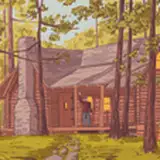
While the interactions for the MTC avatar lobby are still being built out, we're already putting together models for another of the environments - the creator plaza. This one will serve as a tutorial / sandbox for many of the building tools inside of Neos VR. Here are some early previews of what it looks like so far, but please note that a lot can still change with them before they reach public.
 �
�
Community Highlights
Greeting and Salutations everyone! It’s time of the day for that weekly update of that good old community content. This week we are focusing on some maps with some sweet atmosphere this week. We also catch up to some of the stuff the folks over at Creator Jam have been up to!
Ovation by GAWAWA
An immaculate map made by GAWAWA. Come into this compostorium as you hear the divine musings of the music ebb and flow through your bones. From what I’m aware this world was made as a new home world and seems pretty grand as a way to start your Neos sessions! So if you ever get a chance take the time to check out the amp and look at the awe inspiring view. Thanks GAWAWA for the map!
Skate Park by Gearbell
Get ready to rip your pants folks! There’s a new skate party in town! Skate Park made by Gearbell, goes into setting up a nice scene for people to throw out a skateboard provided in the map to skate around and make some sweet flips! So grab a board, grab some friends and go skating! Thanks for the map Gearbell!
Avamora Vodica by Lewis Snow
A wonderful world between worlds, a place between the “Everything”. A bleak world that fills a nice balance of void and existence. This place acts as a purgatory between the worlds of NeosVR. You look under your feet and see the energy of the Metaverse ebbing and flowing through the glass that you stand upon. Thanks Lewis_Snow for making this wonderful map to meditate and exist between everything! The sounds are really on point too!
CJ 93: Push my Buttons!
For this Creator Jam we had a wonderful theme of where folks made all kinds of contraptions with buttons! Some even model exotic button types as you can by something making an actual “Belly” Button. Memes and jokes and all kinds of neat button creations in here!
CJ 92: Whatcha Looking at?
Watchout! There’s a lot to look at or be looked at in this Jam! Creator Jam 92 “Whatcha Looking At?” takes a stab at using the new feature in Neos where you can have your eyes, ears, or 3d person to have a different perspective for your avatar. This is what allows people to have decoupled heads in Neos! People get a little freaky in here!
CJ 91 MacGuffin Land!
In this wonderful land of MacGuffin, there are many things to find in this location! Maybe you can find the Temple of Cheese? Creator Jam 91 MacGuffin Land focuses on interest points of discovery or to find for people to interact with. There’s some interesting things to find here so hopefully you find some treasure!
------------------------------------------
Anyway this is all for this week! As usual, huge thanks for your support, whether it's on Patreon, Twitch, ICO or just by being part of the community and building awesome content! We'll have more news for you next week, so stay tuned!�