Progress on new desktop mode (partially usable), February Community Highlights
Added 2021-03-01 23:46:10 +0000 UTCHello everyone, I hope your week went well!
We have some exciting progress to share on the development of our proper desktop mode. Thanks to several additions it has reached its first usable state for VR users for dynamic switching. There's still lots of work to do to bring it to feature parity and allow to use it without needing VR headset in the first place, but it's an important step forward.
If you're in VR, you can currently press the F8 key (this will likely change in the future) to dynamically toggle to the new desktop mode and back. The dash will now be projected directly onto your screen and usable with your mouse cursor, as you would any other application, allowing you to message people, open worlds, join sessions and change settings.
In the settings you will also find new option "Select Audio Output Device", which lets you override which audio device is used for playback. Along with the audio input device and your volume settings, Neos will remember your settings separately for VR and desktop mode, automatically switching them as you toggle between the modes, making the whole process effortless.
Thanks to the new input binding system we've also added gamepad support, allowing you to move and use avatar anchors (e.g. vehicles) with it, whether you're in VR or Desktop. There's a lot more to come as we continue building out more interaction systems and bring in more hardware.
Since it's the end of the month, we have also devoted our Friday livestream to showcasing some of the amazing community highlights from February, including some awesome games that you have created! If you missed it, check out the video below!
Community Highlights
February Community showcase livestream
As is the tradition at the end of the month, we have devoted out most recent Friday livestream to showcasing many of the amazing community creations made this month. We check out many cool interactive items as well as some amazing worlds and fun games! If you missed the stream, you can check out the recording here:
Tamasobi by mohu yan, kinoko_b, Aetoriz
This map is quite explosive, literally! A really fun team based competition where you as the user need to take a glowly ball of power and throw it into the other teams goal! Be careful though, the other team can steal the ball and have it hit the roof or ground and reset it. For those wondering how the game plays.It feels a bit like Battle discs but also a little bit like Echo Arena. Give it a try and let the creators know! Thanks mohu_yan, kinoko_b and Aetoriz for the fun map! 
Abandoned Factory Hall by YumYum
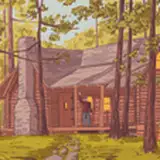
An eerie quiet map, with a nice sense of aesthetic. Inside the factory you’ll find a place left to the wild, contemplating what used to be here, or what was made. Outside you’ll find there’s more to the complex as it seems you are surrounded by more abandonment. Overgrown roads and walls surround making you think even more how did you get here? Thanks YumYum for the map! 
Slime Springs by Gearbell
You enter the cave and experience a particular aroma swelling your senses. Is it Rotten Eggs? Is it Sweaty Sport Socks? Maybe some sort of chemical. Little do you know you’ve found the hangout of the slime people. Of all shapes, sizes, and concoations, those of the slime variety come here to hang, jiggle, wiggle, and bounce with other slimes. Be careful though! I’ve heard tales of travelers entering the slime pools not returning quite the same as they were. Feel less solid as you say. Thanks for the map Gearbell! Also, welcome fellow slimes! I hope you feel at home.
Moment in the Week
Now while creations, maps, tools, and toys get featured on here I wanted to take a moment to feature some of the more special moments of the community. Sometimes they aren’t always being recorded, or being clipped for many to see. Yet, In the process of making his very cursed Teletubbies inspired map. ProbablePrime has somehow managed to get all of us to watch teletubbies for 30 minutes, including “Banned” episodes. As this happened everyone kept adding to the cursed nature of the project, and more hilarity ensued. Thanks ProbablePrime, and thanks everyone who came by to bask and add to the eldritch horror. Only on Neos eh?

First usable version of Desktop Mode
Our official desktop mode has gotten some crucial additions this week that have pushed it closer to a usable state. While we still don’t recommend it as the main way of playing yet (in part because you can’t properly use it without VR yet), it’s getting closer and already offers a way for VR users to switch to desktop for a bit to be able to socialize.
Screen projected dash
One of the important additions was ability to the dash to be rendered as screen overlay, rather than a curved object in-world. Alongside adding a mechanism for pointer interactions (mouse cursor and touch screens), this has made the dash UI usable as traditional desktop UI, allowing you to search and open worlds, join sessions, interact with the contacts system (including sending/receiving messages), interact with UI and also importantly your settings.
While in-world interactions aren’t implemented yet, apart from being able to walk, run and jump, this lets you move around the environments and socialize for the time being when you jump out of your VR headset. Simply press the F8 key to switch from VR to desktop controls and back.
Once interactions are implemented and the system has feature parity of the legacy debugging desktop
mode, we’ll remove the old one and make this one the new default for both users with and without VR.
Audio Output Override
If you’re using different audio output for VR and for desktop, this new addition will be very useful to you. Instead of having to manually switch your audio output every time you toggle between VR and screen, simply go to Settings and use the new “Select Audio Output Device” option to change which audio output device to use.
Along with the audio input, noise gate and master volume, Neos will remember those settings for both Desktop and VR mode, automatically switching them for you as you toggle between the two modes.
This way you don’t ever have to change your audio settings and you can effortlessly jump between desktop and VR as you play.
Gamepad support
Thanks to our new internal input binding system, we have already added support for gamepads to Neos! You can now use standard gamepads to move around and use avatar anchor inputs, even while in VR!
As we add more interactions to the desktop mode you’ll be able to use tools, build and do everything else that you can do while in VR. We plan to add more different input devices as we go as well and provide ways to expose those to LogiX for scripting.
There’s still lots to do, but we hope that even the in-development versions provide you with some good benefits as we continue to add more functionality, fix bugs and bring the desktop closer to feature parity with VR.
Making textures tileable, avatar expression improvements and more
Alongside the desktop mode we have added a bunch of other smaller features, tweaks and bug fixes as usual. Those include some new processing options for textures, which let you easily make any texture tileable (though quality will heavily depend on the type of the texture) or replace transparency with white or black color.
We have also made numerous improvements to Neos’ support for facial tracking, greatly expanding the list of supported expressions on AvatarExpressionDriver and adding heuristics for automatically assigning expressions from blendshapes.
Based on the report from the community we have also improved the security of the local assets, making it harder to get unauthorized access to locally stored data. If you’d like to see all the changes and improvements over the past week, check out the patch notes on Steam or on our official Discord.
----------------------------------------------------
Anyway this is all for this week! We're excited as the pieces of the new desktop mode are falling in places. Now the major missing piece is the interaction system, which will allow you to click and grab items, interact with menus and use tools, weapons and other interactive elements. With those you'll be able to do everything you can in the legacy debugging desktop mode and we'll be able to make a swap.
It's a pretty big system on itself, our next goal is having a base version of it working and then adding more polish to all parts, making things easier to use, look better, removing jank and bugs. If you'd like to see the latest developments, check out our #devlog channel on our official Discord.
And as usual, big thanks to your support! Without it we wouldn't be able to grow this platform and keep going. See you next week!