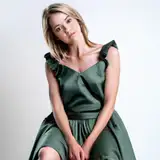
Novabeast cloth, Tech wear S01_SL & SK01 & P02, Shirt & Skirt & Pants, with Hue change, emission, and AudioLink function.
Each clothing item contains small features such as hidden sleeves, accessories etc.
You will get:
unity package file (.unitypackage)
Substance 3D painter files (.SPP)
Photoshop files (.PSD)
Texture PNG files (base_color & emission mask, 4k)
Information:
Faces: 2513 (S01_SL), 3340 (SK01), 1196 (P02)
Number of materials: 1 for each
Number of textures: 5 for each (base color, emission, normal, AO, AudioLink mask)
Texture size: 4096 (you can change in unity)
Requirements:
Unity base knowledge
lilToon - create version: 1.7.3
Setup:
with VRCFury
Drag the Prefab into your avatar.
Done, test your avatar, and publish.
Rules:
If you are using any parts of my work in your advertisement, you must credit me and have a link back to the product page.
For commissions, both the client and artist must have purchased and own the asset.
Do not claim this asset as your own.
⭐⭐⭐⭐⭐
If you like my work, please leave a rating, it will help me a lot, thanks!
⭐⭐⭐⭐⭐
Have questions? You can contact me on Discord: @capturexlokz
Make sure you have it installed:
lilToon 1.7.3
If you have used my other clothes, please re-download and re-install them. They have been updated to work with each other.
Assets:
If you just want to have the exact same clothes:
If you wish to make your own textures:
Installation Tutorial
Drag the cloth base menu into your avatar. File Location: (Cloth\CaptureXlokZ\menu_base\cloth_menu.prefab)
Drag the Prefab into your avatar. File Location: (Cloth\CaptureXlokZ\(Cloth_name)\(Cloth_name).prefab). For example, if you want install SK01, then file location is: (Cloth\CaptureXlokZ\SK01\SK01.prefab)
Done, test your avatar, and publish.
You can choose to disable cloth if clothing is hindering you from previewing your avatar. Don't worry, this will not affect upload.
Note:
If you plan to change the original texture color, please remember to change the animation used to control the hue in S01_SL, SK01, and P02 at the same time. The animation is currently designed to be the initial color that can be linked with other clothes, which will cause the color in your texture to be different from the color after uploading.
Thanks for your purchase! I hope you enjoy my work! ❤❤❤
Have questions? You can contact me on Discord: @capturexlokz