こんにちは、ちりがみです。
今回は性職者イラストのPSDの楽しみ方について紹介します。
一部のフォルダを操作することで自分好みのイラストにカスタマイズすることができるので、ぜひ好きな組み合わせを見つけてください。
Hello, this is Tirigami.
In this article, I'd like to introduce how to enjoy PSD of sex worker illustrations.
You can customize the illustration to your liking by manipulating some folders, so please find your favorite combination.
JPGやPNGとは異なり、レイヤー情報などイラスト制作において必要な情報を保持したデータです。
PhotoshopやClipStudio、SAI、その他フリーソフトで開くことができます。
ただし私のデータはPhotoshop独自の色調補正レイヤーを使用しているため、正しい色を再現するためにはPhotoshopで開く必要があります。
(ClipStudioでもまあまあ再現はできます。)
Unlike JPG and PNG, this data retains layer information and other information necessary for illustration production.
It can be opened in Photoshop, ClipStudio, SAI, and other free software.
However, my data uses Photoshop's own color correction layer, so it needs to be opened in Photoshop to reproduce the correct colors.
(ClipStudio can also reproduce the colors reasonably well.)
「デニール_deneir」というフォルダの不透明度を調節することで布の厚さを調整することができます。
You can adjust the thickness of the cloth by adjusting the opacity of the folder named "デニール_deneir".
こちらは試しに不透明度を30%に下げたものです。このように好みの布の厚さに調整することができます。
Here is a test version with the opacity reduced to 30%. In this way, you can adjust the thickness of the cloth to your liking.
デニールを50%にし、ブラを表示したものです。このように私が書き出しをしていないオリジナルの組み合わせを作ることもできます。
The denier opacity is set to 50% and the bra is shown. You can also create original combinations like this one that I have not exported.
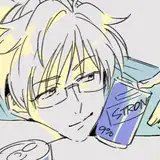
眼鏡を外すこともできます。
You can also remove his glasses.
-----
台詞データももちろん入っています。
好きな組み合わせを見つけて楽しく遊んでください!
Of course, dialogue data is also included.
Find your favorite combination and have fun playing!