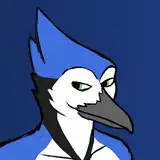
[YAPDOG ISSUE #1] Nick at the beach
Added 2024-09-25 04:01:03 +0000 UTChello. today we will be talking about this picture:

it is nick showing his hole at the beach. hopefully his sacred areas are not tainted by the sands of time. feel free to download the clip file and peek around!
The Inspirations
Map of the inspirations for this pic:

A: pixelsketcher -> they have a very detailed and appealing style. What i love the most is their clever use of the outlines on their art, blending it into the figure while using it to contrast against the background. brilliant stuff.
B: gh0stfood -> another fantastic artist who has distinct volumed forms thru the usage of overlapping shapes. also utilizes outlines similar to pixelsketcher as they use the lineart as both a highlight and contrast from the bg.
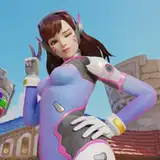
c: Nicholas Kole (nicholaskole on insta) -> a professional artist who worked on spyro and crash games. This piece in particular struck me as i loved their usage of gradients to add some texture and dynamism to their shading. i will learn more from dissecting their art in the future
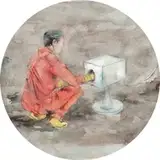
d: xiangru chen and sylvain sarrailh -> i just looked at background art in the ruins of artstation for these water scenes. you can see that i stole the bright white sands from xiang's piece, as well as the blue roofed building LOL. As for sylvain, i stole the clouds and sky. its fun to steal!
e: krenz -> dont know where this guy went but he has a very distinct digital painting style. i especially love how he terminates his brights using a piercing red, as well as his usage of sky reflections on surfaces. i love the striking saturations on these subtle details
If you look closely at my background, i threw in dashes of neon reds and purples because it just looks epic on krenz's art. then i ruined it by blurring the bg. i will avoid that in the future by adding more contrast between the foreground and background instead of using blur as a crutch
The Sketch

before u ask, i do sketch neon red on white for no reason.
anyways, the initial brainstorming for the pose was like "worm angle view while exposing his ass out on a chair". that explains the big lump next to him i that sketch. that was the chair!
in the posing stage (right) i instinctively flattened the image and raised the eye level a bit. this was not on purpose, i fucked up. i will try to maintain the dynamic angles in the future
Finalizing the line art

the lineart was standard. nothing special happened here, i just followed the pose rough as a guide. the only voluntary change i made was i made his right leg smaller. less curved and more jutting out the side perpendicularly.
i also tried doing that thin InaxToto does where they have sweat droplets and other goops incorporated into the lineart. i dont think it works well with this image tho. theres no reason as to why he is so wet, other than being at the beach? but he doesnt LOOK wet enough for it. oh well
Background Work

before i start coloring, i work out the background so i get a sense of the mood and lighting of the piece.
i unfortunately blurred it due to a lack of confidence in my artistic skill. however, i will stop doing that and let the shit shine!!
other than that it's bog standard. a flat 1 point perspective with beach at the front and adding additional details like the mountains and cityscape in the back.
not sure if the bg lines up 100% with the pose but who cares lol. i was wishing i didnt flatten the pose because i wanted the hole to be front and center but at least i got to draw a beach scene without the chair. i do love beach scenes.
Shadow Pass

I initially start the image with a bright, saturated orange as my flat then darken the areas the light isnt hitting. basic stuff.
since we're outside on a hot summer day, i decided to use a multiply layer and a bright reddish gray to do my initial shadow pass. i then add more detail to my shadows (crevices and terminators, aka where light reaches the least) and applied a darker, even more red to it. i try not to go crazy with shadows. and leave the shapes very simple.
Light Pass

the majority of the light pass was only applied to the shadowed area. I then added sunny yellow highlights to the unshaded area. For the reflected lights, I used blues on places reflected by the sky, and reds on lights reflected by the ground. It would have made more sense to use yellow as the ground reflected lights, but it would have looked like pantone 448 C. ugly.
as im writing this now, i forgot to add ground bounces to the right half. OOPS!!!
Gradient pass

not a BIG difference but it helps add a subtle dynamism to it! using a hardlight layer and a soft airbrush, i slapped down a soft yellowish gray to highlight the light areas and a dark reddish gray to darken the dark areas.
i wanted to highlight places the viewer is supposed to look at, mainly the face and ass. ITS IMPORTANT!
i adjusted the shadow and light layers to add the the effects, mainly adding a gradient to them to strengthen/weaken their impact on the flat color in the same areas i wanted the viewer to look. the entire lower back was made boring because who wants to look at that!!!
Vajazzling the Lineart and PP (Post Processing) and Conclusion

using a clipping layer, i added color to the lineart and made the line art a hard light layer.
i used the pixelsketcher/ghostfood technique of using the lineart as highlights! i was also inspired by Hades (the game, not the god) to add some cyan and magenta to the lineart as well.
i also made the thinner lines in this piece to a soft gray to make them disappear. they were no longer needed.
After staring at nick wildes ass for 6 hours, it felt a bit too... depressing for me? i just brightened it using random colors and hardlight layers. i haphazardly added these effects, so i dont recall exactly how i did it. i also added some ass sweat and sparkles to lighten the mood. also made it poppier and more cotton-candy pastel like by brightening the image
all i did for the watermark was make a masked gradient map. See the original image for that
as for things i wish i changed:
No Goop in the lineart (for now)
No blurring the bg
add more lighting to the right leg and balls (they look flat ;__;)
make the face less RL Stein Goosebumps Dummy
make the bikini straps more structured
back anatomy, even on a twink
overall 10/10 im a god
Comments
Thanks for unpacking your process! Lots of invaluable info here.
helioleo
2024-09-25 17:32:09 +0000 UTCYour right, you are a god!!
Frogger
2024-09-25 04:29:45 +0000 UTC