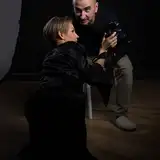
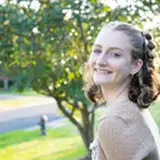
Learn the easiest way to create a Pencil Sketch Look from ANY photo. As always i have some extra tricks in my video. So make sure you watch it full length. The Pencil Sketch Style uses layer bending and adjustment layers to create a very convincing result.
With my extra sauce you get super deep control over the different colors of your source photo. I also show you how to get shadow effects into you image to the Pencil Sketch looks even better and more interesting :)
Support me on Patreon:
https://www.patreon.com/sarikas
Follow me on:
https://www.facebook.com/sarikastutorials
https://www.instagram.com/sarikasat/
Join us on Reddit:
https://www.reddit.com/r/AffinityPhotoTuts/
Photos used:
https://unsplash.com/photos/O3ymvT7Wf9U
https://unsplash.com/photos/Y3vPEuNlf7w
Olivio Sarikas
2019-07-02 21:02:42 +0000 UTCCJ Carpenter
2019-07-02 01:19:37 +0000 UTCOlivio Sarikas
2019-06-26 18:45:59 +0000 UTCBob Domine
2019-06-26 03:09:14 +0000 UTCKevin Phillips
2019-06-25 20:56:53 +0000 UTCOlivio Sarikas
2019-06-25 20:54:25 +0000 UTCKevin Phillips
2019-06-25 20:00:15 +0000 UTC