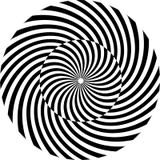
for this one I have been asked to show how to do one of my own latest setups which I posted on ig after my blob track tutorial. it adapts some of the stuff i showed in this tutorial and interprets them in a different way. all in all we have a look at creating some audioreactive pseudo scientific overlay which we also use to displace our input.
alsooooo:
merry crisis comes to an end with this tutorial, and it’s also the last one in 2023, so i want to take this as an opportunity ti say thank you again.
first of all: big thanks to everyone who signed up for my patreon this year, it‘s still running til end of december but so far I will be able to donate ~4000€ (!!!!) to the pcrf relief fund for gaza‘s children. this is simply amazing.
on another note:
2023 has been a lot and I wasn‘t able to continue doing tutorials the way I wanted to and I am so thankful for everyone who continued to support me. especially during difficult times of depression that meant a lot.
your understanding and appreciation really showed me that it‘s okay to take some steps back. during the past months, especially now in december I slowly came back on track and it feels better than ever to spill all my touchdesigner tea.
to make it short: thank you for supporting my jOuRneY of fighting gatekeeping and demanding a comfy space for my queer ass in the tech industry.
for now I wish everyone some good last days of 2023 and a good start into 2024.
take care of yourself, stay creative and kind,
captain pppanik over and out <3
Pali Panik
2023-12-29 02:36:59 +0000 UTCPali Panik
2023-12-29 02:36:49 +0000 UTCkkkaro
2023-12-28 09:26:36 +0000 UTCFRANCOIS DEJARDIN - Polykrom
2023-12-26 16:29:43 +0000 UTC