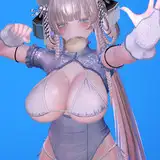
How to use the mmdx plugin to dance
Added 2025-09-12 09:51:48 +0000 UTCA classmate asked about how to use the MMDX plugin to dance, and I spent some time organizing it in the simplest way to express the simplest tutorial
I suggest following the steps I suggested
Firstly, it is important to ensure that your game is a pure version to prevent unnecessary plugin conflicts caused by your plugins,
If you are sure that your current game is a pure version, it is recommended to copy and paste a 17GB copy of the game body
1.(How to install the pure version download Game.7z https://www.patreon.com/posts/game-111521864,
https://pixeldrain.com/l/eXYdsiXx
run V○M.Updating. exe, click the Options button, select version 1.22.0.3, click Sync/repair All or Core, and then it will automatically download until completion. If there are errors during the installation process, please close and reopen the exe and try again.)
2. Download from this post https://www.patreon.com/posts/update-perfect-120325940 (There is a tutorial on how to use fan dance in this post)
Dance Plugins.7z (in English version)
Dance Plugin v180.6- Chinese Language By zedward.7z (for Chinese version)
Extract either of the two files above and overwrite them to the root directory of the game
~~~~~~~~~~~~~~~~~~~~~~~~~~~~~~~~~~~~~~~~~~~~~~~~~
關於如何使用mmdx插件跳舞,有同學問到,我花了些時間整理以最簡單的方式,來表達最簡單的教程
建議按我說的步驟來做
1,首先要確保妳的遊戲本體是純凈版,這是防止妳的插件可能會引起不必要的插件沖突, 如果妳確保妳目前的遊戲是純凈版無疑,建議用復制黏貼的方式復制壹份17G的遊戲本體
( 如何安裝純凈版 https://www.patreon.com/posts/game-111521864 ,下载并解压 Game.7z
https://pixeldrain.com/u/GJzGgRAR 1.How to install the pure version.mp4
https://pixeldrain.com/u/BKS1L1bN 2.翻譯成中文化.mp4
https://pixeldrain.com/l/eXYdsiXx All 2 files
運行V○M_Updater.exe,→點擊Options按鈕,→版本選擇1.22.0.3,點擊Sync/Repair All或者 Core,之後就會自動下載到完成為止,如果安裝過程發生錯誤請關閉exe重新打開重試即可)
2,下載這個帖子裏面的 https://www.patreon.com/posts/update-perfect-120325940 (該帖子裏面有如何使用跳扇子舞教程)
Dance Plugins.7z -(為英文版本)
Dance Plugins v180.6 - Chinese language By zedward.7z -(為中文版本)
解壓上面2個隨便壹個,覆蓋到遊戲根目錄即可
为避免插件冲突先删除以下整个文件夹后再覆盖
\Virt A M○te\BepInEx 整个文件夹删除
\Virt A M○te\Custom\Certificates 整个文件夹删除