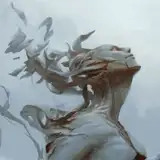
All wallpapers, works in progress, high res finals, PSDs and timelapse videos for Muriel, are now on their respective Discord channels.
Starting this month, all the digital rewards for $1-$5 patrons are being migrated over to Discord exclusively thanks to how it automatically manages access based on pledge level.
Highest level tiers ($10+) are still able able to access the complete Dropbox archive.
1. How to connect your Discord account
Head over to your account settings page and click on the “Connect to Discord” button to connect your Discord account.
2. Getting your Discord rewards
Once you’ve successfully connected your Discord account, you should automatically be invited to the Angelarium's Discord server, if you weren't in it already. If you look in the server, your Discord account should have automatically been assigned your reward’s Discord role(s). To check what role(s) your account has, click on your name in the server’s member list. Let Patreon know if that's not working here - let them know it's Angelarium specifically so they can figure it out.
Burnt Toast
2017-05-30 22:04:31 +0000 UTC