SDM 1.3 - Meet Adriette the gloomy Breton conjurer
Added 2023-08-09 11:55:47 +0000 UTC
Unfortunately, but for the one and only time, this update requires you to remove SDM 1.2, save your game without it, clean that save with ReSaver, and then enable the new SDM version. I'll provide better instructions further down.
What's new in Summon Dremora Mistress?
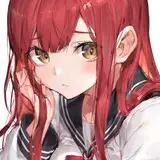
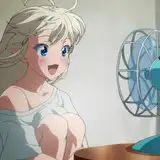
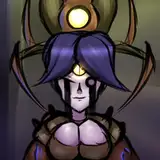
- Introducing Adriette, a gloomy breton conjurer that wants to summon her own Dremora Mistress. She is romanceable and 100% custom voiced.
- At Conjuration level 40 and relationship level 3 with Vaeloria, she will inform you that she senses someone trying to contact her and you. At this point, you'll get a letter from her delivered by a courier when you're not out in the wilderness.
- Adriette's quest starts at this point, you can just follow the quest markers to understand how to progress it. I'll mention that you need a player home for her to stay in, though.
- After the study session you can start her romance progression. Similarly to Vaeloria, you must spend time with her to unlock new dialogue scene start options.
- At relationship level 6 there is a 3P scene dialogue option with Vaeloria.
- Keep in mind that it's on the next update that Adriette will actually be able to summon her Dremora Mistress. That will add a new romanceable custom voiced NPC.
Installation
- Milfactory Asset Hub is a requirement.
- Install the mod through your mod manager.
- If you use BHUNP, build the SDM outfits in BodySlide.
- If you use 3BA, a vanilla outfit version is provided.
- Run Nemesis.
Updating
To update from an earlier version of SDM, unfortunately you need a clean save. I believe this is the only time it'll be required. Instructions:
- Disable Summon Dremora Mistress.
- Load the game, it'll complain that the .esp is missing. That's fine. Save the game.
- Download FallRim tools ReSaver: https://www.nexusmods.com/skyrimspecialedition/mods/5031/
- On MO2, you can see the "Saves" tab on the same section as the Plugins load order. Right click a save file and open in explorer. Take note of the file path.
- Run ReSaver and navigate to your saves folder. Select the latest save.
- At the top, click Clean > Remove Unattached Instances. Save the file, you don't need to rename it, it creates a backup of the old one anyway.
- Enable the new version of Summon Dremora Mistress.
- Run the game and you should be able to start the progression of the mod again.
What am I working now?
I am very excited to continue working on animations that I want to see in the game now that I have an OStim gameplay mod that suits my tastes. I am already noticing how satisfying it is to have romanceable characters with backstories and personalities. They can be left idling at a player home and you can use the dialogue options to start various scenes with them and it's a really great experience. Therefore I want to make another OARE and then OA3PP update adding more animations I want to see there and then working on Adriette's Dremora Mistress next.