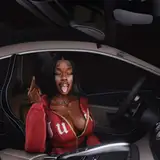
Hey BBYGRL. Baddies! I'm so excited to present something new that I have been working on for a while! Everytime I post pictures in my cars, I always get the question ''where can I get these cars?'' ''Are you going to release them?'' ''please make them available for us!'' etc etc! So with the help of my rl brother, s/o to him <3333 I can make cars and make them functionable for blender!
So here I am presenting my first Blender car: Tesla Model S
required: Blender 3.6 and up
- 5 pre made exterior body colors
- 4 pre made brake pad colors
- 4 infotainment options
- 2 dashboard screen options
- Moveable tires, trunk, boot, windows and doors
* Everything is nicely organized so that'll be easy to navigate! Also for the colors you can still make custom exterior body colors and custom brake pad colors to personalize it more!
How to change: Body Paint | Brake Pads | Infotainment | Dashboard
So if you would like to change the color of the car just simply follow these steps:
1. Click on the car.

2. Go to ''Material Properties" in the Properties Menu.
3. Scroll up and look for the "Body Colors" material in the index and click it.

4. Then go to the "Shader Editor" and attach the color from "metal_details.dds'' to the letter A of your desired color in the "Mix Node''.
5. Then in that same node attach ''Result'' to the base color of the "Principled BSDF''.

To change the color of the brake pads, is literally the same method as the body color for the car. Just click on the brake pads, go to the material properties and look for the material "BRAKE PADS" and follow the same exact steps!
1. Click on the infotainment.

2. Go to the ''Material Properties'' in the Properties Menu.
3. Scroll up and look for the "INFOTAINMENT" material in the index and click it.

4. Then go to the "Shader Editor" and attach the color from any of the orange Nodes to the color of the ''Emission Node'' (green one).
5. You can also adjust how bright you want it to be.

And thats it!! the same applies for the Dashboard screen as well, just follow the same exact steps for the Infotainment screen.
Make sure to tag @bbygrlbymerra on Instagram or @vallysdesignsims4x on Tumblr so that all you baddies can be shared and reposted!
If You have any questions or run into any problems, feel free to message me!
T.O.U.
Valentina AS
2023-11-02 09:07:39 +0000 UTCValentina AS
2023-11-02 05:25:47 +0000 UTCjaynicholee
2023-11-02 02:54:55 +0000 UTCsimmin_aint_easy
2023-11-02 02:43:08 +0000 UTCValentina AS
2023-11-01 23:20:30 +0000 UTCFavSimAddict
2023-11-01 20:07:30 +0000 UTC