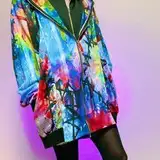
Hey BBYGRL. Baddies, coming with a really cute animation for the blender girls that wanna step it up a notch!
It comes with:
1 animation
T.O.U
Make sure to tag @bbygrlbymerra on Instagram or @vallysdesignsims4x on Tumblr so that all you baddies can be shared and reposted!
If You have any questions or run into any problems, feel free to message me!
HOW TO SET IT UP:
Here's a quick explanation on how to get the animation to work and how to get the camera to work and move. I also made a tutorial explaining the start to finish of rendering videos in blender, you can find it here .
1. Append the animation.

2. Click the rig and go from ''object mode'' to ''pose mode''

3. In pose mode make sure all the dots are selected (it will be blue). When its all selected press ''i'' on your keyboard and select ''location rotation''.

4. When that is done, you''ll have to go the the ''Editor Type'' icon and change that to ''Nonlinear Animation''.

5. Then click the little arrow under ''rig'' (its selecte''d in orange'' and delete the pose thats on the frames display by pressing ''x'' on your keyboard.

6. Make sure the rig is selected and click on ''Add'' then ''Add action strip''. Then select the Animation.


7. You will see the animation shown on the frame display in orange, meaning the animation has been imported to the sim. Now go back to the ''3D Viewport'' .

8. As you can see your sim is standing in position, to play the animation go to the ''Layout'' mode.

9. Then to see the animation actually play, you can press the space button on your keyboard to stop and play, or you can click the play button below the screen.

10. Please don't forget to set the end of the frames to the correct frame of the pose itself. you can check that when you're in the ''Nonlinear animation'' tab (view step 6.) when you scroll on the frame display where the animation is orange, you can see till what frame the animation ends. In this case the animation ends on 200, so make sure to correct that in the end frame tab.

11. Now the whole animation process is done! Time to set up the camera. Go from ''Pose mode'' to ''Object mode'' and click on ''append'' go to the ''object'' folder and click the camera thats there.

12. As you can see I've alread positioned the camera so that it will be easier for y'all to get the animation going <3333.
Go to the shading tab and click on the little blue symbol thats next to the camera.

13. Where almost there! Click where it sais rig.001 next to the Target tab and change it to your sims rig which would be rig. you can type it or search it in the tab.

14. AND WHERE DONEEE!! I put the Bone on Stigmata L. to have that hand movement with the phone to give it a realistic effect. Ofcourse you dont have to use that if you don't want, or you can change the whole camera to how you want it! Hope y'all enjoy! <33333 Oh and if you want to play it all back just go back to the Layout tab and press play or you can press the space button on your keyboard to stop and play it back.
Valentina AS
2023-01-29 18:22:16 +0000 UTCLaRayeLoso
2023-01-29 01:23:50 +0000 UTC