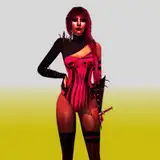
Hey BBYGRL. Baddies! I'm bringing the Blender version release of the posepack; Catching Flights.
If you want to use the camera these are the steps to follow:
1. Click Append
2. Select the ''Object'' folder
3. Select the camera (or type in the search bar camera and select it)
4. Go to the ''Output Properties'' tab
5. By resolution change the ''X'' from 1920 to 3240 (or your desired dimension) and the ''Y'' from 1080 to 4050 (or your desired dimension).
That's it! Make sure to tag @bbygrlbymerra on Instagram or @vallysdesignsims4x on Tumblr so that all you baddies can be shared and reposted!
If You have any questions or run into any problems, feel free to message me!
T.O.U.