Click on the link below to see the video
Thank you very very much for the support.
https://www.dropbox.com/s/xmdkdyp4sedr14x/PaintTool%20SAI%20Ver.2%20%2864bit%29%20Preview.2020.04.10%20-%20%C3%81rea%20de%20Trabalho%20_%20Ych.sai2%20%28_%29%202022-06-06%2023-27-11%20%282%29.mp4?dl=0
*I used soft brushes, including a soft eraser.*
I also used blur in a few areas and remade a few parts of the shadow in some moments.
-Use at least three layers for the shadow.
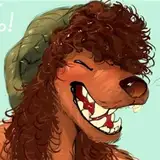
-The main color on this character, in this case, is a light brown. (As seen on the ref.) So, i choose it for his base.
-Use the color picker to take the color from the marker or from his line with low saturation.
(With a darker base for the shadow.)
The darker, less shadow it will have in a few cases, like with the muscles from the arm or belly button.
Do not use a brush with very hard edges.
+Color always below the marker line.
+Leave the triangle lux to separate the muscles and highlight that part of the body.
Eraser for the white triangles
+Airbrush to draw the nipples.
+Harder brush for chest highlight.
+Marker for chest details.
I like to leave the highlight triangular, respecting the linework.
I also put it on my chest hair, like in the old drawings.
For the nipples, I leave a bright strong point following the shape of the nipple on top.
Underneath, I use the highlighter to make the "wet skin" reflection that I've always liked. ^W^












![As[u]kaASMR](https://nokimo.com/istorage/75948.jpg)