Anthgrow for Blender Beta Model Release
Added 2022-06-18 20:30:51 +0000 UTCDOWNLOAD THE MODEL HERE (beta 1)
REQUIRES BLENDER 3.0 OR HIGHER
If you're having trouble accessing the link, please contact me!
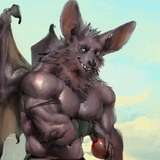
Remember this guy?
Well today, I've been given the opportunity to port him into Blender!
I've been wanting to get back into rigging after a long hiatus of doing so, and for a challenge, Acheroth is allowing me to port his Anthgrow model into Blender! Initially being a Maya rig, I wanted to make it accessible to those who aren't willing to pay a ton for Maya. It serves as a replica of the same features from Maya but now in Blender. It includes the updated textures from thirteeenth, as well as the original black & white textures.
This model is not quite complete - the beta versions of this model will be given to patrons. The final version will be released for free in the coming months. If you encounter any issues or would like to send feedback, please get in contact with me!
When prompted, please allow execution of scripts! It enables the Rig UI that may help you with managing his scalar properties! Before using the model, please read the documentation when you first open the file!
What features does this rig have?
Many things!
- IK/FK switching for arms and legs
- Bone layers to control visibility of specific bones in the viewport
- Cycles, Eevee and Redshift support
- Expression UI in the viewport to better control facial shape keys
- Finger/toe properties to quickly pose curls and splays
- Python RigUI to better keep track of the character's scalar values and other properties across the model
What other features do you have planned for him?
Upcoming features may include:
- IKs for each finger/toe
- Better 'dog leg' IK mechanics
- Create better shapes for certain bones
- and probably a few other things I forgot lol
What can I do with this model?
Use it in your projects! Mess around with it or make some animations with him! If you're going to use this character, please credit Acheroth! We'd love to see what you'll make with him!
What can I not do with this model?
Please do not use this model in cub or non-sentient scenarios.
Please only use this model for non-commercial projects. If you'd like to add the character to your commercial project, please contact me and/or Acheroth.
What does he look like?

(rendered in redshift)
COMMON ISSUES
The model is completely pink
The file can't find the associated textures. To solve this issue, go to File > External Data > Find Missing Files and select the 'textures' folder.
I can't see any bones, just the mesh
Overlays in the viewport is not enabled. Click the "Enable Overlays" icon in the 3D Viewport header:

The RigUI does not appear in the side-panel
It may not have loaded because you disallowed script execution. In a Text Editor, locate the "RigUI.py" file and press the Play button to run the script. The panel should now appear. If you need help locating these functions or encounter further issues with the RigUI, please contact me
I want to use the original textures instead - how?
Start off my selecting the body mesh in the viewport, then open the Shader Editor.
Locate the image node and swap the file out with the respective texture in the og_textures folder.
Additionally, you'll want to remove the displacement connection from the material output. A visual of the node graph modifications are below:

(don't forget to do this for the head mesh too!)
I encountered a problem that is not listed here
Please reply to this post or shoot me a message! I will get back to you ASAP.