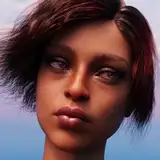
DAZ and Visuals: A not-so-comprehensive guide
Added 2023-07-08 15:25:09 +0000 UTC
Disclaimer
Before we get started, I want to clarify that I'm not an expert with DAZ by no means, and to this day, I still hate it, but it's clearly mutual. Also, my current work revolves around cinematography, so some of the points I'm going to mention are things in which I already have certain acquired skills. This guide is specifically aimed at those who want to create their own Visual Novel.
So you wanna create visuals in DAZ, why DAZ?
It's relatively intuitive, not too complicated to learn, and it provides much faster solutions than other programs like Blender, which is also free.
Are DAZ assets expensive?
Yes and no. There are sales cycles in the DAZ store quite often with good deals and bundles. The basic models are free, but there are many free things on websites like Deviantart and CGTrader too. Google is your best friend.
What specs does my PC need for DAZ to work "well"?

This is a tricky topic. Don't rely on the official requirements because they're a joke. The most important parameter is the GPU. It has to be NVIDIA. When you're buying one, consider that higher VRAM allows you to add more characters and details in a scene. CUDA cores are important for speed, but eventually, you realize that VRAM is what matters. 8GB is a good starting point, and as you learn, you'll realize you need more, lol. There are also other options like scripts to reduce the weight of the textures in a scene, which I'll talk about later. The processor is important for loading scenes, saving them, etc., but when it comes to rendering in DAZ, it doesn't matter that much. They always say that RAM needs to be double the GPU memory. Disk space is important, some say an SSD is better, but I haven't seen differences yet. You’ll need a lot of space eventually. If you can afford a beast of a PC, go for it.
Genesis 3, Genesis 8, Genesis 8.1, Genesis 9?
To keep it short, I would start with Genesis 8 and Genesis 8.1 to see the differences, especially when you learn about HD morphs. I wouldn't jump to G9 because it requires a better PC (some textures are 8K and models have more polygons), and I don't think it's worth starting with it at this point. Also, there are many more assets available for Genesis 8/8.1 compared to G9.
If you see that G9 has clothing, hair, or something you like, you can use it on a G8/8.1 character with a tool called Clones.
Loading times
This is a very recurring problem, and there are always complaints. Once you start buying or having a larger number of assets, characters, expressions, etc., you'll realize that the scene you saved takes ages to open. The reason? When we load a scene with a character (or more), DAZ has to load ALL the morphs and expressions of that character, no matter what. Why? I don't know. Is it ridiculous? Yes. This affects the loading time of a scene, especially when you have other assets like decorations, houses, etc. I found this solution very useful, there may be others, but this worked for me.
Render settings
This is a controversial topic, and there are many opinions. I recommend searching in the DAZ forums because even though the design seems to be from the 2000s, there are many people posting very useful things, and I'm almost sure that's where I learned how to render. My settings are always the same:
Resolution: Full HD or higher.
Progressive Render:

I choose this mainly because I want to know at which iteration I am and what should be the number for the type of render I'm doing. If I'm rendering many scenes, I can let them work overnight when I already know the appropriate number of iterations.
While we're at this part, sometimes our characters have a black ring in their eyes, and it's very annoying:

Usually, the solution can be found in Optimization/Instancing Optimization by switching between Memory and Speed. Other times it may be due to the morphs we've used, and the solution is to decrease them until it disappears.
Filtering:

There's not much to say here, but if you want to give your render a more sci-fi look or take advantage of the lighting effects, activating bloom is useful, play with it. You can also use Glow in post-production, I'll talk about that later.
If your GPU isn't very powerful and you find that your renders are taking too long, some people use the Post Denoiser Available. The key here is to make sure the denoiser doesn't kick in too early, e.g., if you want your render to have 5000 iterations, the post denoiser should activate at iteration 4990 because if you use it from the beginning, you'll end up with a washed-out render, and it won't look good. This is especially useful for animations, which take a lot of time. Are there better tools for denoising? Yes, I like Topaz DeNoise, but I haven't been using it lately.
Cinematic look
HDRIs/Ghost Lights
This is a complex topic, so I recommend researching on YouTube and Cinematography to learn about different lighting techniques, especially the classic three-point lighting, which allows you to start controlling the lighting.
The simplest combination for me is to use HDRI + Ghost lights to have full control of the light in a scene. It's important to use Dome and Scene in Render Settings to take full advantage of this.
A great site for HDRIs. Just replace the environment map in Render Settings/Environment.
KindredArts has the ones I use the most, and they're effective for all types of lighting, day/night.
I've talked about this before, but blurring the background, changing the aspect ratio, or adjusting the lighting won't make the image cinematic, but it's a combination of all these elements plus the story we want to tell.
DOF/Depth of field: basically, it allows the viewer's attention to focus on a specific point in the frame or, in simpler terms, to blur something (the background) compared to the subject.
Lens: depending on what we want to show, we have to change the lens of our camera. From 25 to 50 for a more angled view, like showing a landscape or a character in context, etc. And 85 onwards for close-ups or conversation situations, to focus on something specific, etc.


1st photo: only HDRI, 2nd photo: two ghost lights added, 3rd photo: depth of field on a 120mm lens camera
Character details
There are many things to talk about here, so I'll try to keep it simple. When we buy a character, it comes with textures (usually in 4K), and yes, the bigger, the better, like many things in life. But some come without certain textures that contribute to realism, like normal maps and bump maps.
The normal map creates the illusion of depth detail on the model.
The bump map adds detail that doesn't exist in the 3D model but is used to create pores and wrinkles on the skin. TL;DR, both fake. More info here.
A good Bump map is more than enough to add these details to the characters.You can add this by going to your character “Surfaces” tab.
Some characters come with "HD Morphs" included. Thanks to this, and unlike the maps I mentioned earlier, details like porosity, blemishes, lines, etc., are embedded in the 3D character itself and not in the texture. The only problem with this is that to truly notice them, you need your character to be at a minimum subdivision level of 3, and this can slow down the render or cause rendering issues. With morphs you can easily make a mature character to look old instead of creating a milf with no wrinkles, lines or aging marks. Example of a good character with nice aging morphs.
My GPU is hot/Black Renders, etc.
After discussing the above, it's important to note that if your GPU is old or doesn't support a scene, it will result in a black render or it may crash DAZ. This means that the scene requires more VRAM for rendering. On the other hand, if it starts rendering but is very slow, it may be due to:
The number of CUDA cores on the GPU.
The scene has very heavy textures (which takes time for the GPU to render), and the models themselves may be slowing down the process.
Lighting needs to be fixed.
Solution (kind of)? Scene optimizer
A GREAT tool to have control over the textures and memory used by our scene. It may seem complicated to use, but the only tool I've used is lowering the resolution of some textures in the scene and leaving the default option, which is x2. I usually do this for clothing, distant textures, furniture, but never on the characters or their skin. You can download it here.
Batch Render
When I started working on VNs a while ago, I used to create a scene and render, then the next scene and hit render which takes a lot of time. But if you're planning to have 1000-2000 renders per chapter or update, you'll drive yourself crazy trying to do it that way. At first, I had some bad experiences with the program because I didn't understand it or didn't know how to make it work correctly. This is the one I use, and it works perfectly for me. I think there are others, but I'm sticking with this one.
Post Work
Personally, I really enjoy post-production beyond the raw render. It allows me to emphasize certain aspects, correct exposure issues, among other things. Some devs don't do this work, and that's fine too.
The most well-known tools are Photoshop and Lightroom. They are simple, intuitive, and comprehensive. There are many tutorials available.
What I use is DaVinci Resolve. It's the best and most complete tool. In fact, it's used professionally for editing and post-production in Hollywood movies. I've been using it for years for my work, and it's what I feel most confident and comfortable with. It has many essential tools for my workflow, and I highly recommend it. It takes time to learn, but once you understand the basics, you won't want to use anything else.
Closing words
I'll probably update this document over time because there's always something new to learn about DAZ and the visual aspect and some things I wrote may need to be fixed. I hope it's useful for those who are starting out and even for those who are already familiar with it. Go for it!
-Grogu
Comments
I just saw this post and I like it very much. I found this asset which can reduce loading times without manually removing files: https://www.daz3d.com/turbo-loader-for-genesis-8-and-81
Lachi
2023-09-05 20:06:43 +0000 UTCThat's the idea, when someone starts using DAZ, they're definitely going to encounter the problems or situations I mentioned. Perhaps in the future, I'll create a more basic guide, although I don't feel like I know enough. I prefer to encourage people to start 'blindly' because it's the best way to learn.
Gloomy Ghost
2023-07-09 17:07:56 +0000 UTCWell damn, it looks like you really took your time with this guide. I've read it, but being an uninitiated person, I barely understood the context. What I did notice is that you are very specific with describing your approach and giving helpful tips on what to use, when and how. Great job and thanks for sharing! Hopefully some aspiring devs can pick this up and put it to good use. :) And especially coming from you, as we've seen the quality of your renders. Makes it even more interesting!
snip_cz
2023-07-09 11:07:47 +0000 UTC