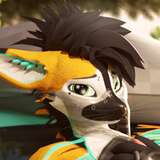
すいません、ほんとは今月中に終わらせたかったんですが、間に合わなそうです;
前回の絵で、エナの指輪に気づいてもらえて嬉しかったです!😊
そして先週は、3Dの方弄ってました。
久々なのでソフトの使い方を忘れてたので、麻がらを復習がてら作ってみました。
これくらいなら描いた方が絶対早いんですが😅
でもおかげで、少し思い出してきた。
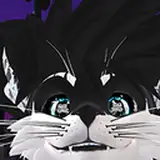
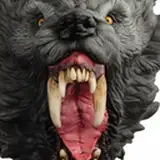
今回使用した麻がらと、僕がエナのアタリの時に使っている、犬用ヘッドの3Dデータを
zipで下記アドレスに置いておきますので、絵を描くときの参考とかに良かったら使ってみてくださいね(≧▽≦)
--------------------------------------------------------------------------------------------------
Sorry, I really wanted to finish this comic by the end of this month, but I can't get it done in time.
And I got people to notice the ring of Energizer in the picture I posted earlier.
I was so happy! 😊
And last week I was playing around with the 3D software.
I forgot how to use the software because it's been a while since I've operated it...
I made one object as a review.
But thanks to that, I'm starting to remember a few things.
I've zipped the object I made this time and the 3D data of the dog's head that I use to draw my illustrations here.
Please use it as a reference for your drawing!ヾ(≧▽≦)ノ
https://drive.google.com/file/d/13_wFriTBIrXORZh3sDhgdDwnniZrDF1n/view?usp=sharing
麻がらはともかく、犬用ヘッドは下アングルとかどうなってるのかなーって悩んだりするときに使えると思うので…!
フォトショップとかクリスタとか3Dモデルが動かせるソフトならそのままドロップすれば表示されるので、よければv
(モデルとか自分好みのバランスに加工してもらっても構いません)
The dog head will be helpful if you're wondering what the bottom angle is or what it looks like.
If you have a 3D model in Photoshop or Crysta, you can just drop it in and it will be displayed.
(You can adjust the balance to your liking).
熊谷 しん
2020-09-29 07:48:17 +0000 UTCロコ
2020-09-29 05:22:07 +0000 UTC