FaceRig用のアバターでトムを作成してみたので、良ければ使ってみてください。
処女作なので出来は荒いですがそこはご勘弁くださいw
【I tried to create a Tom with FaceRig's avatar.
Because it is a virgin work, the result is rough, but please forgive me there w】
上のファイルをダウンロード後解凍し、
steamライブラリの特定のフォルダに移動させます。
移動する場所は以下の通り、
スチームのインストールされている場所から、
\Steam\SteamApps\common\FaceRig\Mod\VP\PC_Common\Objects
【Unzip the above file after downloading,
Move to a specific folder in the steam library.
\Steam\SteamApps\common\FaceRig\Mod\VP\PC_Common\Objects 】
【Move the Tom folder into the object file.
By the way, to use this function
In addition to the face rig body, additional patches are also required.
About $ 3?
Live2D Module
https://store.steampowered.com/app/420680/FaceRig_Live2D_Module/
The movement procedure was based on around 45 minutes of the video.】
このフォルダ内にLive2Dのアバターが格納されています。
ちなみにこの機能はFaceRig本体の他に追加パッチが必要となるそうです(有料300円くらい)
Live2D Module
https://store.steampowered.com/app/420680/FaceRig_Live2D_Module/
詳しくは今回live2D作るに当たってめちゃくちゃお世話になった
魔王様のこの動画の、45分からとコメント欄を参考してもらえたら一番わかりやすいと思います。
無事にrigが読み込めたら表情の設定とか。
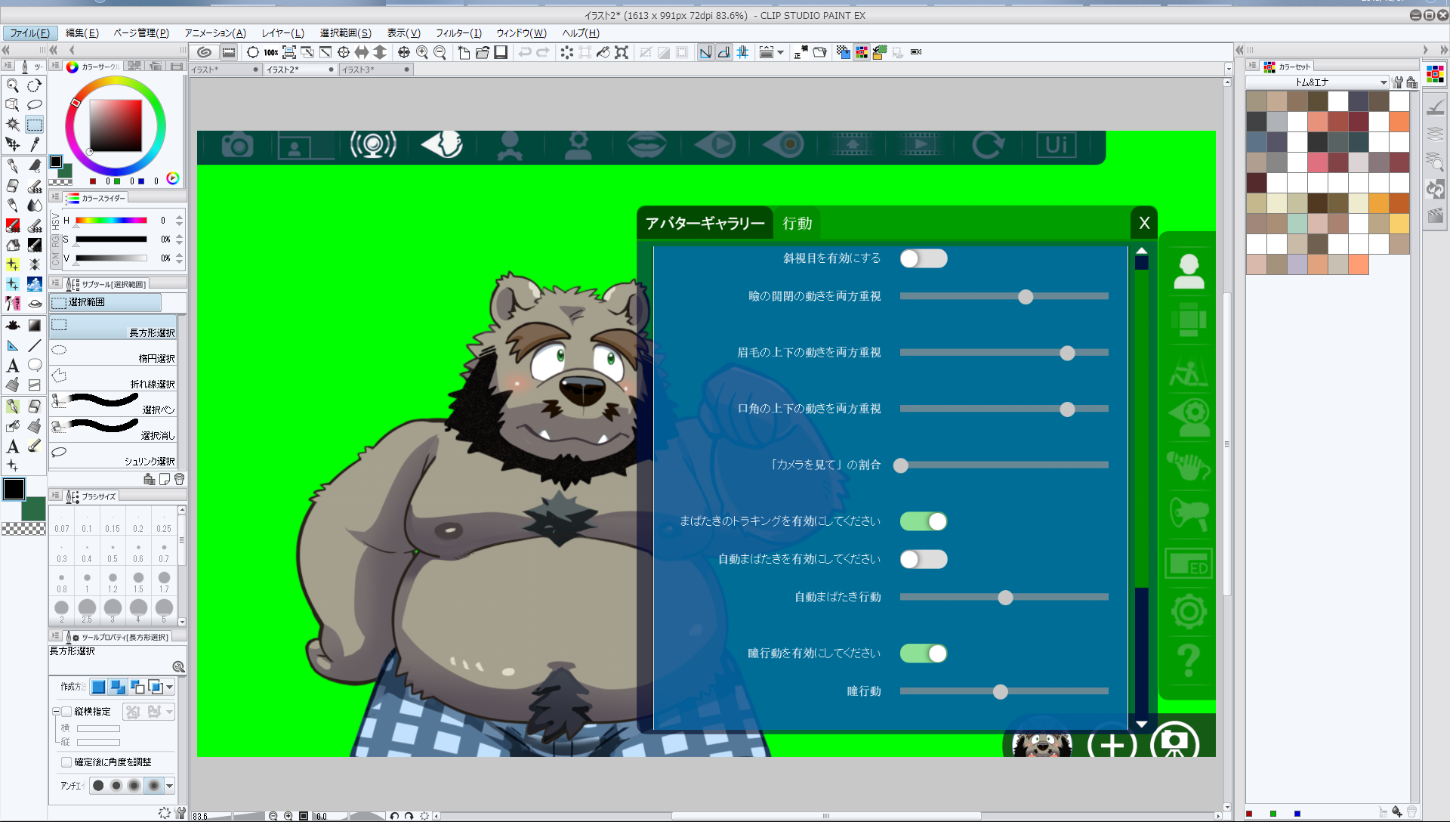
右のアイコンの一番上のアバターのところの行動タブから、こんな感じに。
ここは各個人の好みでいいんですが、僕は一応こんな感じに設定しました。
【If Tom Avatar can be loaded safely
Change the face rig setting according to your preference.
For reference, I set it like this.】
配信ソフトと併用すればこんな感じでアバターとして使えるかなw
unityとか勉強してもっと面白い物が作れたらいいなぁが目標ですv
頑張ります!
【I think that it becomes an avatar like this if it is used together with distribution software.
The goal is to make something interesting using “unity”.
I will do my best!】
熊谷 しん
2019-10-24 12:41:19 +0000 UTC熊谷 しん
2019-10-10 14:29:19 +0000 UTCどん太
2019-10-07 23:14:13 +0000 UTC