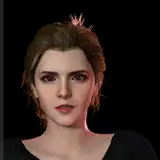
The Sims 4 suffers from very strong blue shadows in a lot of worlds, and generally has a blue or teal-green haze cast across the screen. This means things that should be white are blue or teal, greys have a blue tone to them, and shadows look out of place. I've generally tried to counteract this and make things more neutral in most of my presets, but it's annoying to have to do it each time from scratch, and I've never found a really good method that still preserves everything else that happens to be coloured blue.
Until now!
Foundation at its core is a simple multilut that removes the blue/green haze and neutralises shadows and things that should be neutral to begin with. It doesn't alter any other colours or contrast so menus stay usable and clear. The result is a game that looks exactly like the Sims game you know and love, but more balanced.
You can see an album of example screenshots here, including lots of splitscreen comparisons showcasing what the multilut does: https://imgur.com/a/Ic271u1
---
You can use the Foundation multilut alone, you can drop it into a preset you already use, or you can use it to build your own preset around.
- If using the Foundation multilut alone:
while playing the game open the ReShade menu and choose from one of the 5 luts included in the Foundation multilut depending on which looks better for your current world/neighbourhood/season/time of day/weather
- If using the Foundation multilut with an existing preset:
open the ReShade menu and drag the multilut so it's either above or below your current used shaders - if you drag it above them it'll neutralise the blue cast *first* and your other settings will apply afterwards; if you drag it below them it will also neutralise blues in your current settings
- If using the Foundation multilut to build your own preset around:
I recommend keeping the Foundation multilut above any other colour grading shader effects in the load order so that you're working on a properly balanced base
If you want to use the Foundation multilut alone because you like how the game usually looks but just want to banish those obnoxious blues, I've built a full ReShade preset around it if you want something a bit extra.
The only colour grading is the Foundation multilut, but it adds in other 'bells & whistles' shaders like MXAO, RadiantGI, DoF, Adaptive Fog, Depth Haze, SMAA, Sharpening, Deband, and several flavours of Bloom to choose between. You can play the game with just the Foundation multilut enabled, and turn on any of the other effects when you want to take more polished screenshots.
This preset is ideal for someone who likes how TS4 looks but wants a better version of that. It's also ideal for CC creators who want to take nice screenshots of their CC but don't want to alter how it looks in a vanilla game.
---
Ultimately, Foundation is meant to be a tool to help you get the best from your game, whether you just want to play with colours looking how they're meant to, or if you want to build your own preset without having to do battle with the blue shadows and colour casts all the time.
You have two download options:
There are full installation instructions included in both downloads.
---
Find me here: