This is for Blender nerds so feel free to skip it if you are not interested in the know-how.
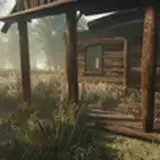
I've been trying to render the Anesthesia animation for a couple of days but something always went wrong. I let it render for three nights in a row but towards the end there are a lot of unfinished frames like the one above(most likely because Blender ran out of VRAM). My first thought was that this is due to the 4k rendering settings, but the previous video was also rendered with those exact settings and there were no problems.
So the only explanation left is that this is because of the giant monitor in the back that renders the animation from a different angle. I managed to render the video that shows up on that screen without a problem, but when I put it together with the main animation, that's when the problems started happening. Could be because of the size of the video, which is 2gb.
The way I went around this was to render only the first half of the video, and then render the second half on its own afterwards, and then simply merging them in Sony Vegas. Anyway, I'll try to stay away from doing this effect again until I have a better computer.
asdf9146
2021-07-01 18:45:08 +0000 UTC