I absolutely adore 2D animated VFX. Smoke, fire, water, various interesting bodily fluids, etc.
Unfortunately for me, these sort of things usually need to be done with traditional animation, frame by frame, in order to look any good. As you know... that's not really my thing.
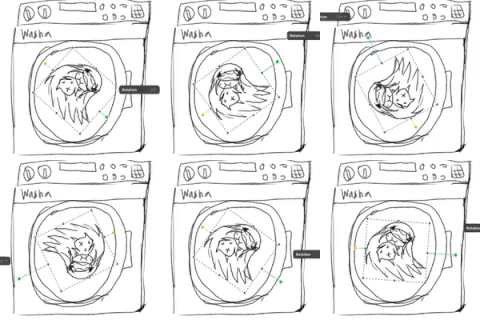
In the newest shot for Under Pressure, Asuka and Hikari are smoochin' for a bit, before pulling apart. When I finished the animation, it was good, but... it was lacking something... and that something was some nice saliva strand VFX.
I had some rough ideas on how to accomplish this, but the first step for planning out some vfx (really any type animation) is getting some reference.
So I, uh, spit on my fingers, squished them together, and then pulled them apart to draw out strands of saliva, paying attention to how it looked and moved. I noticed a few things, such as the presence of bubbles / spit globs, and the way the strand varied in thickness, and how it moved / changed before snapping.
So I jumped into After Effects and did a quick mockup.

For the AE literate out there, this is basically just a single mask with 2 vertices and manipulated tangents. I slapped on a path stroke effect that let me vary the thickness, and then thew on some Circle effects to simulate the spit and bubbles. Overall, I was pretty thrilled with how it looked.
Next step, however, was getting the motion in there. I could have just animated it by changing the mask on every frame and repositioning the bubbles, buuuuuut.... that's just not my style. Besides, if I could more or less do this procedural, then I could reuse this effect in the future without having to do too much work!
Diving into some expression work, I had AE set the start and end vertices on the mask to follow two nulls (which I parented to Hikari and Asuka's lips), and with a bit of math wizardry, calculated the in and out tangents to be about 40% of the distance to the opposite vertex, and then added in a slider to control the height of those tangents. Essentially, it let me create an easily controllable strand that would automatically calculate it's shape. I also took the circle effects and linked them to path, controlling their position with another slider.
That's the simple version... it's bit more complicating, involving a bunch of random numbers, ratios, and more... but the resulting effect winds up like so:


And it looks when layered in with the rest of the animation as well.
It's not entirely automated, I do have a few keyframes on thickness, bubble position, and strand depth, but most of the tedious and difficult parts are all automated! Which means... I can easily create multiple strands, tweak a few settings, and get good results pretty fast!

This motion here makes me think this technique might be useful for some other bodily fluid 2D VFX too.....
I'll be making a more in depth tutorial explaining more of the details on how I pulled this off, for those that are interested!
AyQ
2020-08-26 19:14:58 +0000 UTC