Howdy, Patrons!
I’m extremely proud to announce the opening of the new Discord Server! For the next couple of weeks Patrons and Twitch subscribers will have exclusive access to the server for a beta-testing period.
To celebrate the server going live, there are several events scheduled today for any who would like to join:
This endeavor would not be possible without help, so I’d like to introduce and thank the moderators who will be helping with the server.
You Moderator team is:
I’d also like to extend a big shout out to Akashic, who helped build and is currently maintaining a custom bot for the server.
-
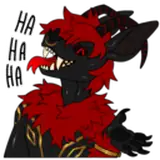
All servers start out with 50 custom emote slots. However, our server was boosted, so we can now have up to 100 emotes! Emotes are steadily being worked on and rolled out, but here is a pic of the ones currently available:

-
In order to be assigned the Patron role and all its perks, please follow the following steps from Patreon’s support center:
Step 1: Log in to your Patreon account, and head to the Apps tab of your Profile settings page.
Step 2: Click the option to Connect option next to the Discord app.
Step 3: Now that your Patreon and Discord accounts are communicating, Patreon’s integration will assign you the role tied to your Tier!
You can access your new role by logging in to your Discord account.
Note: Already have Discord connected to your Patreon account for another membership? Then there's nothing you need to do! You should see the server for the creator who's now offering Discord appear when you next log in to Discord.
David Dizon
2020-09-07 22:34:52 +0000 UTCMegan McKay
2020-09-07 14:58:18 +0000 UTCMegan McKay
2020-09-07 14:16:09 +0000 UTC