That's right, it's a part one. I realized there's quite a lot so the first part covers what I would call the basics. I'm thinking of doing a second part where I make an animation from start to finish and explain my process as I go. I might even do it live if there's interest in that. I feel like that would allow people to ask me questions as I work.
Don't judge me too harshly, this is my first time recording myself so I flub my words from time to time. I'm also learning my mic quality isn't exactly stellar. However, this taught me to actually use the video editing software I downloaded ages ago so I might be comfortable enough with it to start experiment with adding audio to stuff in the future.
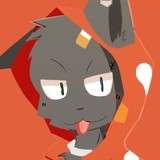
Also, a reason for the delay is for some reason I felt compelled to draw Karet and thus I made him into a PNG in the corner that yaps. As well as maybe wasting some time making a fake youtube thumbnail lol. The entire reason I made the pngtuber (I think they're called) is youtube recommended a video that was a tutorial on how to make them so I just did it.
The tutorial should cover the basics and dip into some slightly more advanced stuff like folder layer. I didn't get to KKPE advanced mode in this one. I feel like it would be easier to cover while I'm working on a scene. There are times where I accidently forget to mention the controls for something, like opening nodes constraints (ctrl +I) but most of the information should be useful.
Let me know if I missed anything obvious. I'm not above making a 2.0 of the video covering stuff I missed.
Pre-reqs
HF patch: https://github.com/ManlyMarco/KK-HF_Patch/releases/tag/v3.31
Shallyutils: https://github.com/ShalltyB/ShalltyUtils/releases
LightSettings (on the discord): https://discord.com/channels/447114928785063977/1238934059883954276/1312843371517050880
Blenderlike (this is a WIP plugin and thus can cause errors): https://mega.nz/file/6j4HnQrY#KIQkhnRqFwY6KvAuPZteAipsqgsEzRCMJpfo_ij0I1c
Video: https://mega.nz/file/LrxEDYSa#aEEdGlZLnFlBU5ioCB5RfDAR1ml0jtgjF1hIC7R0SEU
Francis Laracuente
2024-12-12 19:05:03 +0000 UTCScratch-Key
2024-12-12 18:04:37 +0000 UTCNight5oul
2024-12-12 15:41:05 +0000 UTC