I. Description
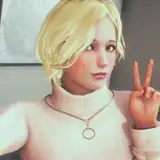
This mod features three presets: ENB, Reshade, and KreatE, each with its unique style and effects. The colors are bright and saturated, making the fantasy elements of Skyrim pop out more than ever before.
The modders have put a lot of effort into modifying and implementing the best colors and effects to make the game more visually appealing. From the lush forests to the icy mountains, every aspect of the game has been touched upon.
The ENB preset gives the game a more cinematic feel, with realistic lighting and shadows, while the Reshade preset adds a touch of vibrancy to the colors and enhances the game's contrast. The KreatE preset, on the other hand, adds a more stylized look to the game, with a focus on cel-shading and outlines.
This Graphic Overhaul is a must-have mod for anyone who wants to take their Skyrim gameplay experience to the next level. So what are you waiting for? Download the mod now and immerse yourself in the stunning visuals of this magical world :D
II. Requirement
1. ENB
2. Reshade
3. KreatE
- https://www.nexusmods.com/skyrimspecialedition/mods/83757
4. Cathedral Weathers
- https://www.nexusmods.com/skyrimspecialedition/mods/24791
III. INSTALLATION
1. ENB
1) Download the enb in the Requirement.
2) Put the files in the ENB folder in ARJARIM Graphic Overhaul into your Skyrim installation folder (not the data folder).
2. RESHADE
1) Download the Reshade in the Requirement.
2) Place the files in the Reshade folder in ARJARIM Graphic Overhaul into your Skyrim installation folder (not the data folder)

3) then, Select the preset screen, press ARJARIM Reshade Preset among the presets that appear below, and then press Select (Default: Home key)
3. KreatE
1) Download the enb in the Requirement.
2) 2. Put the files into the data folder inside the Reshade folder in ARJARIM Graphic Overhaul
3) then, Turn on the Kreate setting screen (Default: END) and then move to Preset, you will see ARJARIM. If you right-click on it, there is Load. click on it

IV. Password
- Please check the password on the ARJA Bethesda Game Channel Discord Second Channel. (The link is written on the site below.)
- https://www.patreon.com/posts/about-discord-63164537