You can now download 3 high quality brushes and 1 paper texture from my Pencilmania Brush Set for Procreate for FREE!
If you like them, please consider supporting me by getting the full set, which contains a spectacular collection of 44 super natural graphite and pencil brushes for Procreate, carefully hand-crafted using the most premium physical pencils on high quality paper.
In this package you will find:
–An eraser brush, meant to be used with Procreate's Eraser tool, inspired by the behavior of a real eraser when used to erase pencils.
–An HB pencil brush with pressure sensitivity, that also uses the tilt feature for a better shading experience, and also works great with the Smudge tool. (07/11/23: This brush has been updated/improved in the full set, so it has been updated in this free version as well!)
–A 5B pencil scribbles brush, that will help you fill large areas with pencil marks, giving a crosshatching feel to it. It also works with pressure sensitivity to control its opacity, and with the Smudge tool for blending.
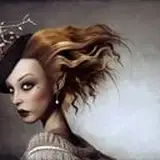
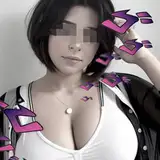
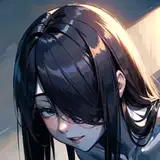
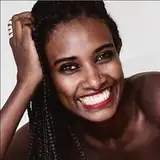
–2 pencil portrait examples in time-lapse form, and the final pieces in PNG format, so you can better understand what's possible to do if you get the full set.
Learn how to use these and other brushes from the full set with this tutorial:
Disclaimer: This brush set is only guaranteed to be fully compatible with Procreate 5 and above, please make sure that you have the correct version before downloading.
If you like this product, make sure to rate it! This will help me to continue making more amazing brushes for you :)
07/11/23 Update: The main 9 brushes (12H, 9H, 6H, 3H, HB, 3B, 6B, 9B, and 12B) have been reworked and improved in the full set, so I’m including the updated HB pencil in this free sample.
Thank you so much for your support! Make sure to rate this product if you like it, and consider getting the full version! 😊
Note: The brushes in this set have been optimized to take full advantage of the new Apple Pencil hover feature! If you have an iPad with hover support make sure to change the Advanced cursor settings as shown in the image below. This will allow for each individual brush to adapt the way hover is displayed depending on how the brush works best.
If your iPad doesn't support hover, you don't need to worry, as this shouldn't affect you in any way.