![[Tips and Tricks] Character Design!](https://img5.nokimo.com/storage/3/xc/bi/fb3178-019e8611-03a8-7eb3-bfc3-a67652e82185.jpg)
Hey guys, so today I’m going to talk a bit about my character design method and how I go about creating the characters for Billie Bust Up. I don't consider myself a professional character artist but I will share with you some of the lessons I've learnt whilst creating characters for our game.

When I first started making Billie she went through many different iterations. I wasted a lot of time trying to figure out her character design in 3D. I was so eager to get started that I never took the time to fully concept out the character. Get your idea down on paper first, get feedback, iterate, then get more feedback. Drawing an idea down on paper will take less time and you can fail faster. Don't just ask your friends and family, put your work out online and ask for critique. Many of our characters have evolved for the better thanks to blunt feedback.

If you're making a character in 3D make sure you cover the character from different angles. I usually trace over my 2D art in Zbrush.
When you're designing your character think of their personality too, this will directly affect the way you draw and present them in your game. Are they Shy? Bold? Caring? Good? Evil? Think of a backstory for your character, think about their goals. You'll often find that your character will develop a personality over time.

I will always draw Oscar with his tongue hanging out and a big smile to show his carefree and goofy attitude.

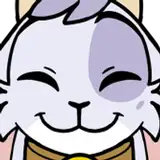
The bats are shy librarians and are friendly NPCS, I gave them overly large ears, fluffy chests and heart shaped noses to show this. I'd imagine them using their large wings to cover their faces when the player is near.

The boss character is suppose to be threatening, the player needs to know at first glance that this is an enemy, I've used the colour red to show danger, given him overly large claws and fangs, glowing eyes and a perma grump face.

The otters are friendly NPCS and are extroverted bouncy characters, I've given them huge smiles and wide open eyes.
I've seen many character designs that try so hard to be unique that they add too much detail and become completely forgettable. Limit the amount of colours you use, don't be tempted to add a bunch of accessories, clothing or patterns. Simple clean designs are generally more attractive and are easily recognisable. Look at characters like Mickey Mouse or Kirby, despite their simplicity they stand out.

Try out multiple colour palettes for your character, I like to play with the hue shift and try out different colour schemes and ask people to vote on their favourite one. Oscar and Billie were intentionally designed to use complimentary colours. Oscar was intended to be a wolf in his original concept art but after drawing both characters together I noticed their colour schemes were too similar. If Oscar were to sit on Billies head he wouldn't stand out. As a fox his orange now compliments Billies blue.

You can see this in games like Sonic or Mario, Tails and Luigi's colour palettes use colour complimentary colour schemes
Thanks for reading our first developer tutorial blog! Let me know if you have any further questions in the comments below.
Credits:
Mickey Mouse art (c) Disney
Luigi and Mario Render (c) Nintendo
Naomi Price
2025-08-04 00:21:54 +0000 UTC