Hi everyone! Sorry for late post😫
Let's check the progress this week!
Finished by Una-san


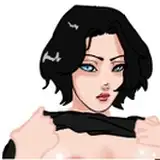
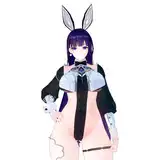
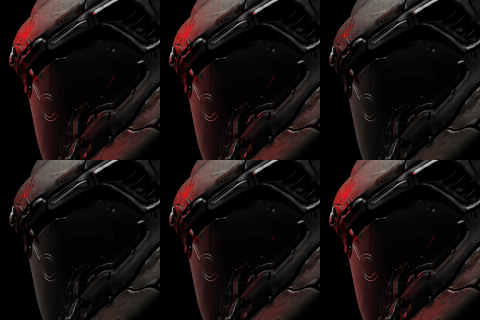
I was drawing Modeus line art this week too, but I want to omit the heart animation around his face.

Therefore, instead of drawing them on the line art, I thought of a method to combine it as an effect on Unity, but it is not possible because the current character standards are too common. I was going to do it eventually, but I decided to make the character a Unity prefab because I was involved in the animation work.
To be honest, I'm also puzzled as to why we have to take such a long detour when it's supposed to just add hearts, but that's how game production seems to be.😅
In the current specification, the character is strongly connected to the interface. With this method, it would be nice if the character was placed in the scene from the beginning, but this time, the character will be generated.

Therefore, immediately after the start, there will be no character.

but the interfaces that have been connected to the character until now will ask for the character's whereabouts. These must be resolved separately.

While fixing this, I ran into a problem where the key input for the pause menu had to be set via script as well. I was planning to do this later, but if I don't do it now, the game won't work. Anyway, I decided to set up a local multiplayer match together. I keep getting off track.🙄

I prepared a mode where the player can choose to fight on the left or right. This almost succeeded!😃 Next, in the case of PCs, various devices are connected, so they must be detected. Ideally, I'd like the first device to press the button to be main, but that's not done yet. For some reason I can't find anything about this. 🤔I found a solution, but unfortunately I'm out of time. It may take a little longer, so it may be postponed.
My job should be to draw the heart of Modeus, but why am I doing something completely different...? 🤔
I was very worried, but in the end I chose a voice actor for Modeus and formally asked for it. She happily accepted and we got Modeus' voice!😄Modeus is voiced by Rinny_san and she also draws.
I didn't choose the applicant who got the most votes this time, so I got scolded by the people who helped me. It's true that the person with the most votes was very good at acting, but the Modeus I imagined was quiet and emotionless, so it was more important to have a cute voice instead of acting.
Since Exinis-san is very busy with his main business, it will be difficult for him to be involved in this project in the future, so he has decided to leave. 😫It's sad, but I'm glad he seems to be doing very well! Thanks Excnis for everything!🤩
Recently, I've been having problems with my PC's processing speed dropping dramatically while I'm working, and blue screens appearing at a pace of about once a month. The desktop I'm using now was purchased 5 years ago, and I'm assuming that the SSD that stores the OS is 80% used, and the SSD itself is nearing the end of its life. Therefore, for the past few months, I have been working side by side with the fear of PC failure.😰
So this week, I decided to replace the SSD and increase the memory at the same time. I immediately disassembled the PC and checked the contents, but I can't find the SSD. I tried calling the company I bought it from, but the model was too old and I couldn't find a decent solution.🤔I searched for videos on YouTube, and luckily I was able to find an explanation video, and I learned about the existence of the built-in SSD for the first time.

This is what was installed in my PC, and it was only small and attached to the motherboard, so I couldn't find it.

I immediately went to buy a new SSD. The current capacity is 250GB, but a 2TB SSD has appeared. Unfortunately, I chose 1TB due to the standard of the current PC case. Still four times the capacity!😍 Then clone the contents of your current SSD to the new one. Since the built-in SSD cannot be directly connected to the PC, I also prepared a case for USB connection. The case had a download key for the SSD clone software, so I tried using it, but it didn't work due to an error. 🤨After that, I tried about two different softwares and finally found one that works properly. It's a free software called Macrium Reflect.
I was able to clone it safely, but for some reason the capacity of the new SSD is reduced to 250GB, which is the same as the old one. It doesn't make sense as it is. I want to merge the unused 750GB to the current C drive because of the hard disk partition settings, but I can't because the recovery data is in the way. 😬In order to solve this problem, it is necessary to rearrange the partition order in the C drive, but here again another software is required. I used the freeware AOMEI Partition Assistant Standard. But I think this operation should be possible on the OS. Now that the partitions have been set up, physically replace the SSD.

Did it! Since there were two empty memory slots, I added two new 16GB memories to make a total of 64GB.😆If I did not insert the memory with enough force, an error occurred and the PC did not work.😅Say goodbye to the fear of SSD failure and slow processing speed!😭
That's all today.
Have a nice day!