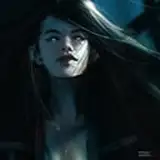
Doom (2016) Non-RT Presets: Overhaul . Booster . Darkslayer . Vividpunk | These presets do not contain any SSRTGI/RT shaders and are more performance friendly.
🟣 Read the "README!" file in the downloaded archive. It may contain necessary information about presets and game settings for a decent picture.
Preset Showcase: https://youtu.be/rRPcRetvce0
-----------------------------------------------------------------------------------
🟣 Recommended in-game settings:
Go to in-game Settings/Advanced and set Graphics API to Vulkan, set Sharpening Amount to 1.0, set Film Grain amount to 0.2, or completely disable Film Grain.
Go to in-game Settings/Video and uncheck Chromatic Aberration box.
-----------------------------------------------------------------------------------
Quick guide: (How to install Reshade/Preset):
01. Download Reshade: https://reshade.me/ and run downloaded file
02. Select the game in the list (DOOMx64vk.exe) or press Browse and manually select .exe file
03. Choose the proper rendering API (select Vulkan)
04. Select and download all effect (shader) packages
05. Download my Reshade Preset(s) archive(s), extract it and put extracted files (.ini files and the reshade-shaders folder) into the game folder where the .exe file is located (Overwrite if asks)
06. Check in-game Reshade interface. You should see these shaders below as active in this order:
🟣 If the shader has the ✔️(Opt.) sign next to it, that shader is optional for a specific preset. You can disable that from Reshade GUI. However, these optional effects enhance immersion.
For Doom (2016)_Preset Overhaul_v1.0 :
For Doom (2016)_Preset Booster_v1.0 :
For Doom (2016)_Preset Darkslayer_v1.0 :
For Doom (2016)_Preset Vividpunk_v1.0 :
🟣 Note: I often use two methods of sharpening in my presets. One is for textures/surfaces, the second is for objects' edges (tuned for 4k gaming). But If you're playing at 1440p or 1080p and the image looks oversharpened, try turning off sharpening shaders like: AMD FidelityFX CAS, Clarity, LumaSharpen, AdaptiveSharpen or DELC_Sharpen.
🟣 Note: Some shaders may give a very subtle effect in some areas. However, they have a significant impact on other environments. So I recommend you don't turn off any shaders if you want the preset to work as it should. I'll always let you know when there are optional shaders in my presets.
-----------------------------------------------
If you need more guidance you can watch step-by-step video tutorials on how to install Reshade and set up the in-game overlay, Also how to install RTGI shader (For RT presets) and configure Depth Buffer properly here:
Reshade Installation and Setup Guide
. . .
🟣 Note: Presets were tweaked and tested in SDR (Non-HDR) game/monitor mode. They may not look decent in HDR mode. You can try to tweak presets using extra shaders like: LevelsPlus, PD80_03_Levels or curves by yourself for HDR TV.
The same image looks different on different screens. You might need some tweaking for your monitor's brightness/contrast/saturation if Reshade differs from the showcase.
-----------------------------------------------
If you have a question write down or DM me.
Enjoy the game! :)