VRChat Snout HUD
Added 2024-06-04 16:55:07 +0000 UTC
Snout HUD Prefab (requires VRCFury)
Please read the terms of services and be completely aware of this asset's available features before buying, this product is not refundable in any ways!
How To Use This Asset:
- Install VRCFury (available via https://vrcfury.com/)
- Drag the Snout HUD.prefab into the root of your avatar.
- Adjust the Transform and Blendshapes to match the tip of your avatar's nose.
- To toggle the HUD, use the "Enable HUD" option in the avatar's Expressions Menu.
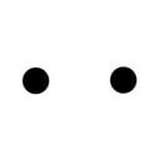
The Snout Model uses a one-sided polygon set to face the model's wearer; placing the asset slightly inside the avatar's nose should all but hide it from anyone else's view.
Tested using VRCFury 1.323.0 and VRChat 2023.2.4.
Avatar Requirements for use with VRChat:
- A valid VRChat account ranked ‘New User’ or higher to be able to upload an avatar, note that Steam, Oculus and Viveport based logins do not have the ability to gain rank or upload content!
- VRChat Creator Companion (VCC) - https://vrchat.com/download/vcc
- Unity (Latest supported version will be installed by VRChat Creator Companion)
- VRCFury most up to date version (unity package) - https://vrcfury.com/installer
Terms of Services:
- By purchasing this product you agree to NOT share the files with anyone who has not also purchased the product.
- You are allowed to commission/take commissions for putting the asset on an avatar.
- You are allowed to make public avatars with the asset, but not directly share the files.
- I am not responsible for you breaking your avatar if you import the asset wrong, it is advised you take a backup of your avatar before attempting to install it.
- This asset is for PERSONAL USE ONLY. you cannot use it commercially.