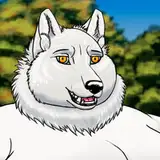
The fur was tricky to do, I always had trouble with fur grooming as it ended up being uneven and patchy or bleed into areas where it wasn’t supposed to be. Or the fur near thin surfaces like the ears would get sucked through.
I looked for a tutorial to see if there were any new tips or tricks for proper fur grooming. There was a recent YT video called ‘Create Any Fur in Blender!’. A good tip from that video was to use a huge, smooth comb brush to affect large areas of the model when grooming fur, then view the model directly from the sides at a time. Then go with a smaller brush when doing details.
Another neat tip from the video was to use a transition fur layer that blends short fur with long fur. A lot of grooming was needed as the three fur layers had to have matching fur direction.
After combing, an issue arises where the fur is going through the mesh. There is a function where you can enable mesh collision, but it’s too far from the surface (about 1cm) and there is no option to reduce it for geometry node hair grooming. Instead, I had to brush the fur outward carefully as well as using puff tool to make it rise from the surface.
When painting on the fur, I made sure to make the hair guides dense, something like 2 millimeters apart since the body is going to expand. Making the guide hairs dense reduces the chance that interpolated hair (hair that is between guide hair) will appear where none is needed, ideally around the nipples. When I finished grooming the body, a new issue appeared. The fur got this stretch mark look.
 I spent a good amount of time getting it sorted out. It’s only visible when the interpolated hair modifier for the fur, along with subdivision modifier for the mesh is on. Each edit takes a long time to load. I found out I had to reduce the density of guide hair from 2 millimeters to 1-2 centimeters, except the area around the pecs. I also had to rearrange some of the hair modifiers. This finally removed the banding look.

The final thing to do with the fur grooming was to blend the hand fur with the fur from the arm. Since the hands are a separate object, there were some things for the hand fur that needed to be modified, so the fur would follow the hand mesh.

The seam was visible, so I had to separate a part of the hand fur to be able to use the same hair modifiers as the body uses. Some extra grooming made it blend much better together with the arm fur.
In substance painter, I made a color map that the fur’s texture shader could use, to color each hair strand for the complete fur coat color.

This made the fur ready and the result is show in the top :D