Since the last update we were working on preparing a functional and reliable public build, so, again, mostly fixes and improvements, a lot of them related to features for developers and content creators. And now, a bit more testing and I believe this build (without rain for now) can be made public! Well, hopefully.
But, of course, as usual, there are also a few new features, most notable:

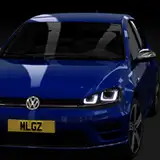
• Handling of lightweight cars with rain greatly improved, the visuals got some fixes and updates as well, to increase overall feeling of wetness.
• NeckFX got a major update: now head movement can also be controlled by a Lua script, making things a lot more customizable and extendable. There is already a new default implementation replacing the old mess, a lot smoother and easier to configure. It is enabled by default, although you can disable it to return to the old logic. Also, an ancient option for rendering helmets got an update too, now working with all Kunos helmets, with greatly improved rendering, optional blur, and rain support.
• WeatherFX scripts can extend or even replace original YEBIS post-processing implementation with a new one. Default style now can do its own post-processing instead of YEBIS, which should be somewhat compatible and look similar, but run a lot faster, saving a lot of both CPU and GPU time. If you were disabling post-processing in AC video settings to save a bit of FPS, maybe it is time to try and turn them on? Sun rays do add a bit of cost even to the new approach, so if you really need FPS turn them off, but even with them it seems to be a lot more reasonable in terms of performance.
• If you are doing some video recording or streaming using OBS, CSP now has an OBS plugin allowing you to, for example, capture game image without UI, capture UI (or just individual apps) separately, record the whole scene from different angles (with a somewhat simplified shading) and more. And Lua apps can also add their own custom views too.

• There is a new WebBrowser app on the App Shelf, made possible with Chromium Embedded Framework which is now included with CSP (don’t worry, those extra 100 MB will be downloaded and installed only if you need it). Apart from regular browsing, you can also use it to turn any website — such as, let’s say, YouTube or Spotify — into an AC app, having it pinned separately and always be easily accessible. Of course, other Lua apps and scripts can use it too, so tracks, for example, can use a simple HTML file to draw something like a leaderboard on a texture.

• Also, a new Unbound app can help you during the race if you forgot to bind an important function like changing brake balance, MGUK mode, windscreen wipers, and such. You can even steer and press pedals with it, although I don’t think it’ll be that useful in most cases.
• Third new app, Pocket Technician, can be used to tinker with car setups outside of pits. Of course, it would work only in single-player practice sessions (the ones where apps would have access to physics API), so competitive racing won’t be undermined.
• For all sorts of online communications, CSP (old and new UI both) now properly supports emojis. Not a big deal, of course, but this might help to make things feel more up-to-date. Python apps do need to explicitly enable it though, this way apps using emojis for regular icons won’t break

• For a few smaller changes: brake discs now can use physics temperature for glowing color, recording it in a replay, there is a new tone mapping function better preserving saturation (you can try it with built-in filters editor), AC leaderboards (like the one switched with F9) got an option for using actual race positions for ordering cars, windscreen wipers audio volume can be adjusted in AC audio settings, CSP Debug app can show contact points and drags cars a lot more stable with a proper physics thread worker, with new Content Manager you can now configure gamma for each of AC axis inputs, and also a few physics experiments proven worthy and stable have been moved to be always-on for both offline and online races (and a new one added, state extrapolation solving issues with shaking with apps like Drone Camera Pro).

A lot of bugs have been fixed as well, of all sorts. For instance, the reason grass looked so dull was pretty much only because of a few typos. New trees no longer fade out when switching between LODs, autopilot (Ctrl+C) no longer crashes in pits and can deal with rain, ExtraFX emissives no longer require a reload to work, ghost is visible, and the whole thing is even compatible with Sandy Bridge Intel CPUs again. And a lot more, you can see the whole list here. And here is a link for a quick install.
Coming next is, of course, the public update, and after that we’ll finally be able to get back to bringing more new features, some we’ve already have some progress on, such as physics for some other types of surfaces. 😉
Thank you all for the incredible support!
AJ Brauer
2024-01-07 03:29:41 +0000 UTCBen lilyoud
2023-12-12 15:12:51 +0000 UTCNECROMANCER
2023-10-29 00:38:49 +0000 UTCJens Jensen
2023-10-21 09:25:31 +0000 UTCfar.x
2023-10-21 04:10:13 +0000 UTCJason B
2023-10-21 03:26:54 +0000 UTCNick Fadeev
2023-10-20 08:47:20 +0000 UTCMaxFrames
2023-10-20 07:48:46 +0000 UTCDaniel Oliveira
2023-10-20 04:30:31 +0000 UTCMaximilian Hartstock
2023-10-20 02:21:11 +0000 UTC