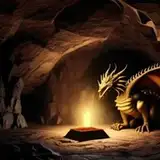
Hey folks, here's a free INSERT I created for another user on my Discord channel. If you render in EEVEE, you'll need to punch up the volumetrics for the trapezoidal cube. Just look at the material for it and the instructions are there.
Of note, EEVEE will render this as a cube but Cycles renders it as a trapezoidal solid. Cycles can now render different shapes as volumetrics.
There are a couple of pretty neat materials as well as modifiers in this INSERT, which you may want to check out (and if you have KIT OPS PRO, you should save them!).
The first is the gradient volumetric effect where it appears the light is coming up from the display. Check out the volumetric texture "gradient-volumetric" for details on how to adjust.
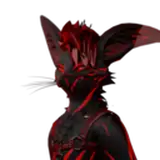
The second is called "green-slices" and it's applied to the robot character. Check it out as there are several paramaters to adjust for it as well.
And, to create the wireframe model--it's pretty straightforward. You just need to use a wireframe modifier and set it to very small. Also, if your model is dense, you may want to apply a Decimate modifier and reduce the number of faces so the wires can read easier.
Have fun and try applying a coarse Remesh voxelaztion to your mesh before the wireframe. Use "Blocks" and you'll get even more interesting results (see the last three renders above).
You'll then want to add an emissive material to your wireframe.
As usual, just drop these in any KPACK folder and you can start working with them! (refresh KIT OPS ;-)
Hope you enjoy!
Danny Bouchard (Butch6414)
2021-07-07 11:34:39 +0000 UTCClaude Ducharme
2021-07-07 10:29:43 +0000 UTCDewi
2021-07-07 09:43:02 +0000 UTCMárcio Nurkim
2021-07-06 14:02:01 +0000 UTCWouter Weiland
2021-07-06 08:19:53 +0000 UTCLyne Frappier
2021-07-06 01:06:32 +0000 UTC