Beginner's Guide to Image Generation with Stable Diffusion
Added 2024-10-04 18:17:53 +0000 UTCHello everyone,
I'm relatively new to creating tutorials, so please forgive any initial hiccups. Today, I'll guide you through setting up and using Stable Diffusion for image generation.
Installation Guide:
Prerequisites: Before we start, ensure you have Git and Python installed on your system. This setup will make updating and managing Stable Diffusion quite straightforward.
Downloading Stable Diffusion: You can install the Stable Diffusion WebUI from here:https://github.com/lllyasviel/stable-diffusion-webui-forge
If you run into any issues during installation, feel free to ask for help in the comments!
Getting Started with Image Generation:
Models: Once you have Stable Diffusion set up, visit Civitai to explore a variety of models and LoRAs.
Models are the foundation of your image style. If your computer can handle it, I recommend using SDXL or PonyXL for their advanced capabilities.
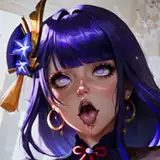
LoRAs: These are smaller files that add specific elements or characters to your images, enhancing the detail or focus. For example, there are LoRAs for "Genshin Impact characters" or specific characters like "Raiden Shogun."
Action Plan:
Choose a Model: Start by selecting a model whose style resonates with you. This will set the tone for your image creations.
Conclusion:
I believe this covers the essentials for our first tutorial. Diving into AI image generation can be overwhelming, but with each step, you'll grow more comfortable. Feel free to experiment with different models and LoRAs to see what styles you prefer.
Remember, this is just the beginning. In future tutorials, we can delve deeper into techniques, tips, and more advanced uses of Stable Diffusion.
Happy creating!