NokiMo
Olivio Sarikas
Olivio Sarikas

patreon


Affinity Photo - Neon Light Look - Design Trends Tutorial

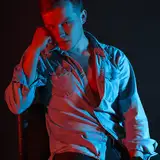
Learn to make a photo look like it was taken in Neon Light with this easy to follow tutorial. I will show you in Affinity Photo how to adjust the layers, blend modes, curves and balance the colors to create a realistic Neon Light Style Photo.


This video is part 3 of a 5 video series to design trends. You can find die other videos on my channel. So far we covered

-  Retro Punk Style:
https://youtu.be/LJTGHkxbm4Y

- Glitch Effect Style:
https://youtu.be/9TgHMdGhfh0


Follow me on Facebook:
https://www.facebook.com/sarikastutorials


Photo used:
https://unsplash.com/photos/Q3GBBki5fZ4

Affinity Photo - Neon Light Look - Design Trends Tutorial

Comments

Awesome, Peter. So nice to hear that. I love that they are your highlight. MAybe try making a Google Doc where you write down notes on how to do things, including screenshots. Also the playlist on my channel is a nice way to have all episodes at hand. :)

Olivio Sarikas

Yet another great episode. Regarding the subscription model, I'm happy with it because its at a sensible level so I don't mind supporting this way. I'm also very pleased to receive the files as it helps to remind me of the steps taken, although I'm thinking I could do with something that keys me in to the techniques without having to take detailed notes. (Its probably an age thing in my case!). These episodes are the highlights of my week!

Pete Gunnell


Related Creators