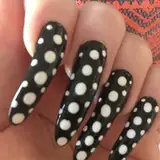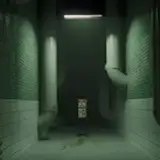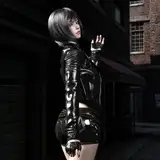
With a small tweak to the post process material used in the previous Edge Wobble effect, you can get a pretty funky jittery outline. Instead of just wobbling the UVs of the screengrab pass, you wobble the outline mask, one minus it (so the white outline mask becomes a black outline), and then multiply it back on the screengrab.
Use the exact same setup as the previous effect, but just replace the "Edge Breakup PP Mat" with the shader/material attached here ("SketchEdgePP.mat"). Here are the settings I used in the EdgeBreakupPostProcessing script on the camera.

Because the noise wobble is uv mapped, it moves with the geometry, so more complicated and skinned meshes work fine without swimming. Only the outline mask is screenspace (adjustable normal/depth diff or sobel), but that could be done with a inverted hull instead.

Another thing I'd like to try in the future, is along with the noise render texture, render out a RGB flat colour pass, so that the each objects can have their own specific outline colour. I think that could look pretty cool.
Let me know if you encounter any problems or have any ides on how to improve the effect, or new ways to use it!
EDIT: Updated the SketchEdgePP.shader to also wobble the Sobel outline (Interior Edges Contribution). This was accidentally missing before.
Puck Loves Games
2019-05-16 23:31:37 +0000 UTCJSART
2019-05-16 23:26:51 +0000 UTCPuck Loves Games
2019-04-17 23:27:20 +0000 UTC