Update #20 (Options Screen & VHS Filter Rework & Expansion)
Added 2023-09-12 07:17:36 +0000 UTCHey Everyone! Lots of VHS and video realism related work this week! And some expansion updates👀
Before we get into the meat of the update... I (The Dev) want to make a quick announcement. For the first time ever, we're looking for 1-2 new Devs (fluent with UE5) to add to our team! I want to give first dibs to everyone here before we look to outsourcing :) If you are a Dev and are interested, message us here in Patreon! Applications will be open until next Monday!
Now let's get to the Update!
Highlights:
⋅ Dev and Budget Expansion! (Possible Publishers) (Details in The Details)
⋅ Options Screen Rework Progress (90% Done)
⋅ VHS Filter Rework Progress (50% Done)
⋅ Seamless Level Transitions Progress (20% Done)
Coming Soon:
⋅ Level Submission Contest Results! (Set for Wednesday! 9/13)
⋅ Options Screen Rework Finish & Leak! (Set for Thursday! 9/14)
⋅ VHS Filter Rework Finish & Leak! (Set for Saturday! 9/16)
⋅ Seamless Level Transitions Work! (Starting this week!)
The Details (For Nerds):
Before we get into our juicy coding this week, let's take a minute to give a quick update on what's been going on with our team! A lot has happened this past week. We now have access to new funding, new publishing opportunities, new marketing opportunities, and a bunch more! And while this new phase begins, we're able to finally expand our core development team! Which up until now, has been a team of just me, one Dev, working on the overwhelming majority of all game development. Now let's cheers to new Devs, work splits, and faster development!🥂
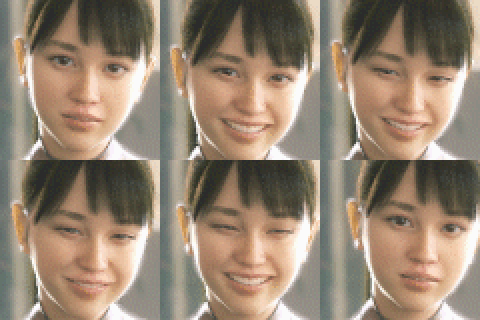
Lots of Shader and Material work this week! I've seen lately that the VHS filter we've had hasn't had the best reviews :/ And after revisiting it, there's definitely a bit to be desired. Starting off, we have a quite heavy pixelation filter, which can be quite harsh and feel like just a degrade in quality rather then an eye pleasing and realistic result of what pixelation ends up looking like on an actual VHS or early Camcorder. So our first move, after some thought, is to scrap pixelation all together. We will revisit it at the very end of our rebuild, but for now it's outta here. Next we have our sharpen and blur shader. While this part of the filter is quite good and close to realistic, it's not as close as I'd like it to be. So, in this week's theme of expanding and reaching out we've decided to reach out to the devs of "The Complex: Expedition" because of their quite incredible remake of this shader in UE5. While that pot is cooking let's move on to our Interlacing shader. All we really need here is a bit of a dial back to intensity and we have some very good looking and realistic interlacing.
Next week we'll have our finishing update on the VHS filter as well as some much awaited Seamless Level Transitions work under our belt.
Until then, Cheers!
Comments
I'm glad that you removed the pixelation, because I was confused if it was on purpouse, or if my pc wasn't good enough. The only time I realised It was the game was when I used a school computer with a 3080 in it (hehe)
Lava_Enderman
2023-09-14 22:23:41 +0000 UTCNow I feel like an ass lmao 😂 My bad lol
Dunks (Zach)
2023-09-14 02:34:14 +0000 UTCYou should actually be able to toggle it with the "Video Compression setting in Settings" :)
Subliminal
2023-09-14 02:25:21 +0000 UTCNo problem :)
Dunks (Zach)
2023-09-13 07:19:03 +0000 UTCOh ok thx buddy!
Yokjo Trouble
2023-09-12 23:15:58 +0000 UTCexciting
2023-09-12 19:31:56 +0000 UTCI don’t think you can yourself. I am pretty sure the game dev would have to add the option in and release another alpha in order to do that
Dunks (Zach)
2023-09-12 17:52:31 +0000 UTCHey ! I have a question, how do i take off the VHS filter?
Yokjo Trouble
2023-09-12 16:25:48 +0000 UTC