DL: https://mega.nz/file/N6o2xJQT#XARIQZUQvPGfx3NwSFtusljQ1ZM6_egK2Qt6s3WU04E
First! I would like to show my appreciation for the peoples who supporting LeikfazAI all this time. At first i created this page to fund for a new hardware since my laptop is 8 years old and have major heating problem and clutter fan.I was manage to buy a fan and chaging it my self but after the inflation strike, your support become a big help to keep me living when prices go up. I study abroad without any support. Just trying to work and learn day by day with half of minium wage since i just a apprentice. Your supports lessen the burden of my bill and meal to eat so that i can focus on study.
Will continue to give my service till my laptop can't handle it anymore. It working diligently to making sketch when i go out for study and refining picture when i sleep.
Second! people asking me what is my workflow to transforming sketch in to my stable product. I will happly to share my methode but diffrent Ai will have a diffirent way of approache. The way i do is acttually alot of manual work so every product will have it styles and less generic Ai art
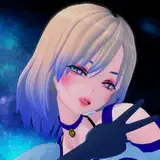
The 1st picture is the final product of Bunny Jalter
1. 2nd picture is a sketch, I usually using text2img and generate 10 pic of sketch. If i want to draw i a character i will give the Lora around 0.75 to 1 weight so it give a general ideal so use simple prompts (CFG always at 7)
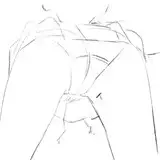
2.3rd picture is 1st refining. I using img2img at denoising strength 0.8-1 with controlnet of sketch to generate a more accurate image. for Ai to add more precise detail u need to upscale your sketch (usually i do 1.2-1.3).Specific more the prompt. U can see more background behind and her hand now have some glass of wine
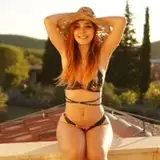
3.4th picture is 2nd refining. I using Photoshop to give some ideal of coloring then using img2img at denoising 0.8 and controlnet (depth_map) at 0.75. upscale 1.2. u can now imamge have more colors
4.5th pic is 3rd refining, Using depth map library to fix hand. At this point i start to lower the Lora to 0.65-0.5 since i have an overall visual of charater i want. It will help the stable diffusion model have more control on style. Denoising strengh 0.75 at this point. for the prompt i add more weigh to some work so compare to 2nd refining now Jalter have slighly thicker thighs and pevis bone more visible
5.6 pic is 4th refining. i upscale 1.2 then use CFG strength to 10-15 and denoising at 0.55 then specific more at the prompts U can see it have a lot more details.
6. the final product is after using impaint to fixing face, finger then upscale and then fix color at photoshop
Whole process will take me atleast 2 days to finish a picture because i always need to guide my Ai to draw the correct way and an refining usually take3-4h for my laptop can generate
Special edition will have 2 or more diffrent characters with different pose it will be even more complexe process and take more time to do it
Enjoy Our Bunny Jalter ^^